
5 Firecrawl n8n Automations That Save Hours Every Week

By :
Ali
July 30, 2026
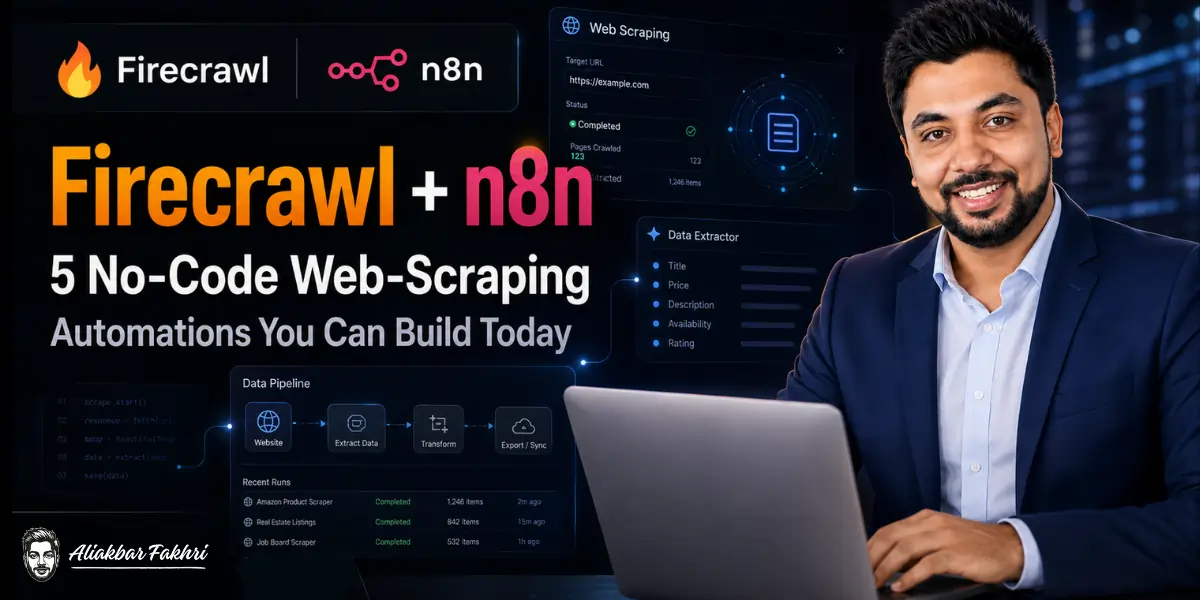
Web scraping used to be the most gatekept skill in digital marketing. You either learned to code, hired someone who could, or paid for clunky point-and-click tools that broke every second week.
That era is over. Two tools ended it: Firecrawl, which turns any website into clean structured data through one API, and n8n, the open source automation platform that connects that data to everything else you run.
Together they let a completely non-technical marketer build scraping automations that used to require a developer on retainer.
We say that with confidence because this is our own stack. At AFFiNCO we build AI agent and workflow automations for clients across affiliate marketing, media buying, and eCommerce, and the Firecrawl + n8n combination sits inside a large share of those builds.


Competitor price watchers, lead enrichment pipelines, content research engines: the five automations in this guide are versions of systems we run in production.
Here is the plan. First we set up both tools in about ten minutes. Then we build five automations, each with the exact node flow and a copy-paste prompt you can hand to Claude or ChatGPT to build the workflow for you in plain English. No code anywhere in this article.
🔥 Grab Your Firecrawl Key First
Everything in this guide runs on Firecrawl’s free plan: 1,000 free credits every month, no card required. That is 1,000 scraped pages monthly, forever. Sign up through our exclusive link and if you ever upgrade, you get an automatic 10% discount on your first purchase, with roughly 2 months free on annual plans.
💡 Why Firecrawl + n8n (and Not Zapier or Make)?
Quick positioning, because the automation tool you pick determines your monthly bill for years.
Why Firecrawl for the scraping side: it is the simplest serious scraping API on the market. One credit gets you one page as clean markdown or structured JSON, with JavaScript rendering, proxies, and junk removal handled automatically.
It connects natively to almost everything in the AI ecosystem: Claude, ChatGPT, Perplexity, Gemini, Grok, and agent platforms of every flavor, plus a plain REST API you can call from anywhere. We broke down the full cost structure in our Firecrawl pricing guide, but the short version is that pages cost a fraction of a cent.
Why n8n for the automation side: three reasons we recommend it to clients over Zapier and Make.
- It is open source and self-hostable. Run it free on a $5 to $10 VPS from Hostinger, DigitalOcean, or Contabo, with unlimited workflow executions. Zapier bills per task, and scraping automations generate a lot of tasks. The math gets ugly fast.
- n8n Cloud is cheap if you skip the server. Managed plans start around $24 per month with no server to maintain. Still dramatically cheaper at scraping volumes than per-task competitors.
- It has a native Firecrawl node. Not a hack through generic HTTP requests (though you can do that too, and it is how you would wire Firecrawl into Zapier or Make). An official node, in the n8n panel, with every major Firecrawl operation built in.
One more thing that changes the game for non-technical readers: you can build n8n workflows by talking. Connect n8n to Claude (via the n8n MCP), or work inside Claude Cowork, ChatGPT, or Codex, describe the automation in plain English, and the AI assembles the workflow for you. Every automation below includes the exact prompt to do that.
⚙️ Setup: Connect Firecrawl to n8n in 10 Minutes
The one-time setup, step by step:
- Get n8n running: Easiest path is n8n Cloud (free trial, then from ~$24/month). Self-hosters: most VPS providers including Hostinger offer one-click n8n templates, and the community edition costs nothing but the server.
- Install the Firecrawl node: On the n8n canvas, click the “+” button, search for “Firecrawl,” and click Install. It takes a few seconds.
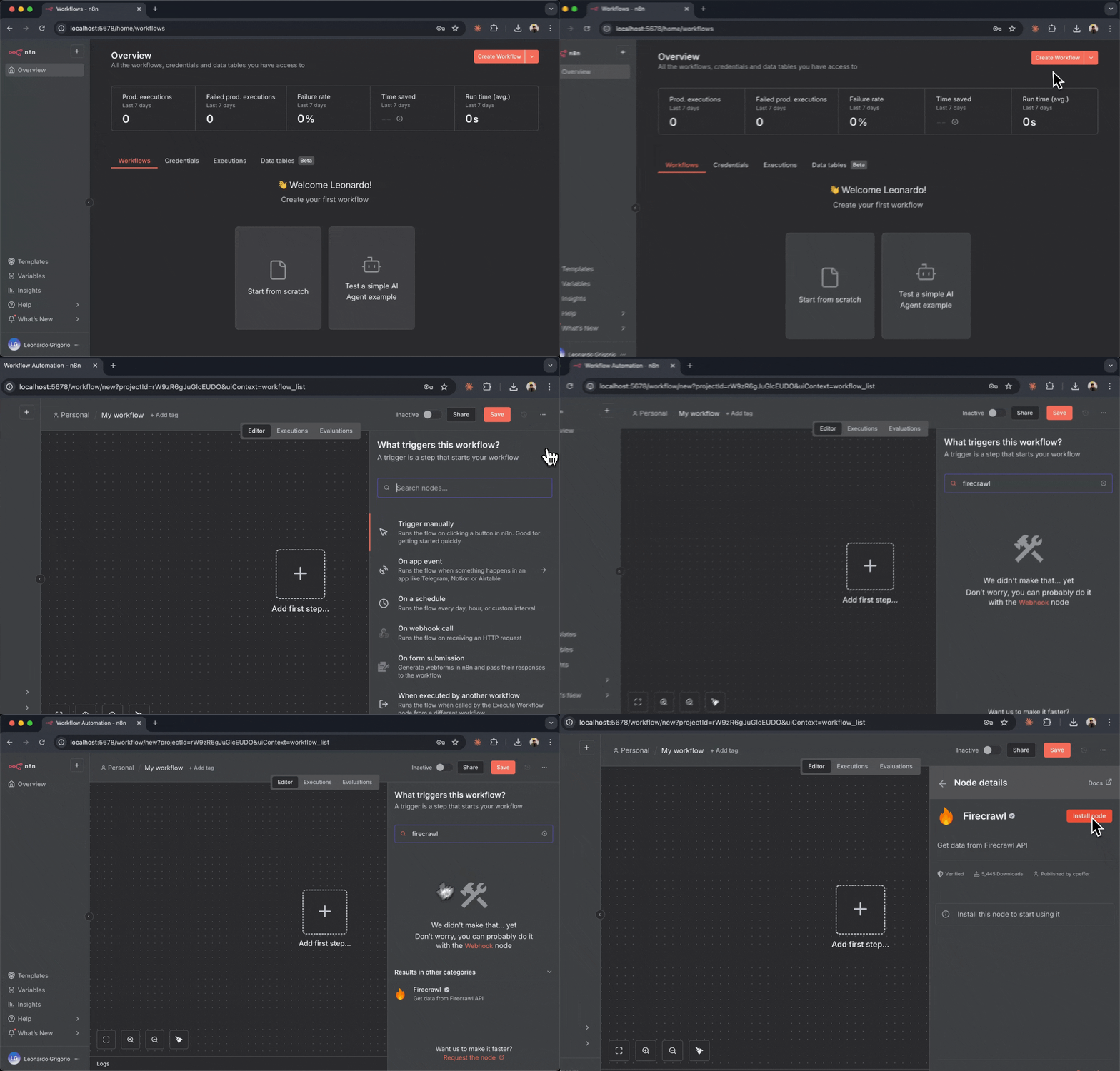
- Add your credential: Click the Firecrawl node, select “Create New Credential,” paste your API key (from your Firecrawl dashboard, starts with fc-), and save. You never enter it again; every future Firecrawl node in any workflow reuses it.
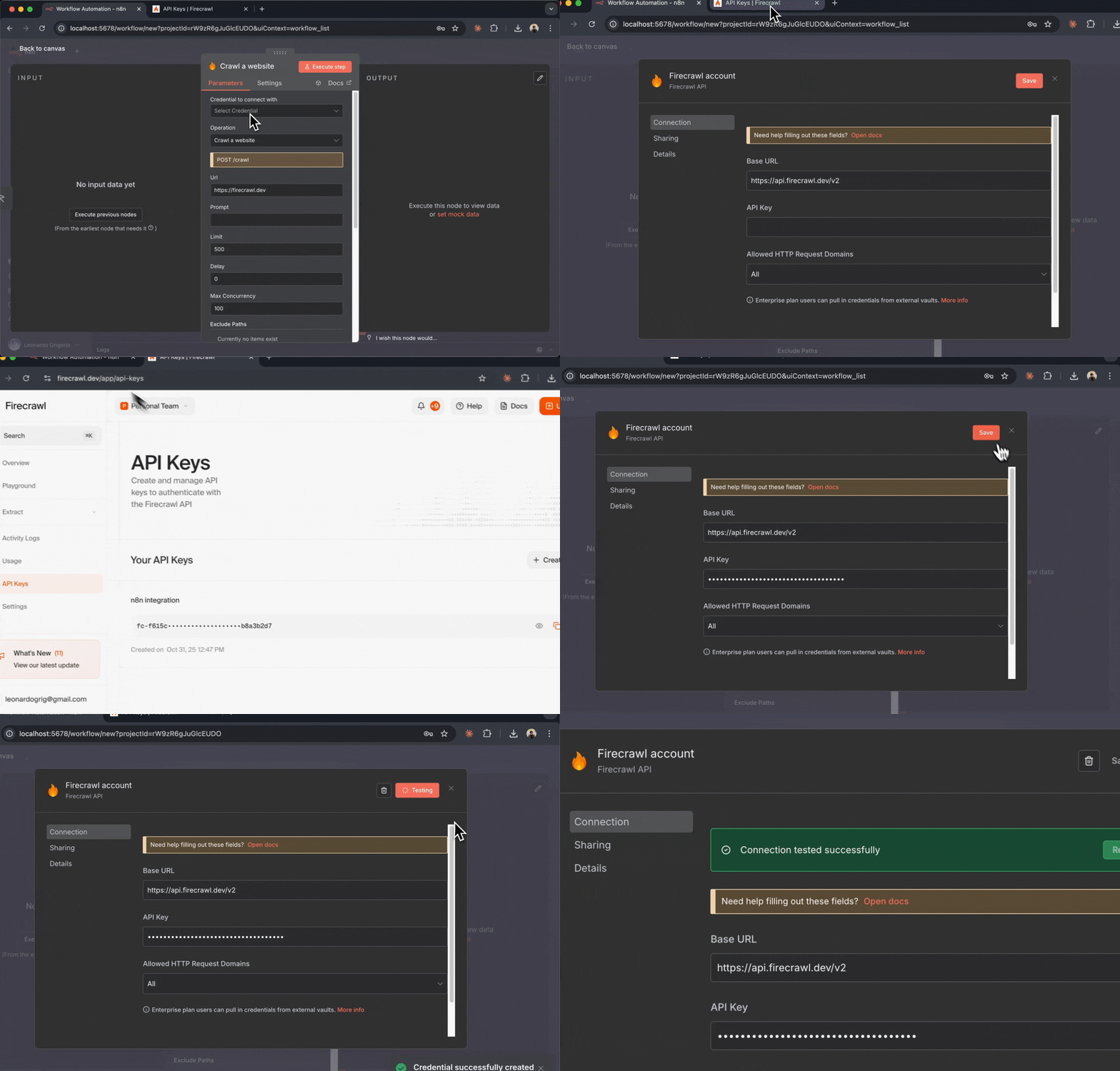
That is the whole setup. The node gives you eight operations to build with: Scrape (single page to markdown), Search (web search with optional content scraping), Crawl (whole websites), Map (discover every URL on a site), Extract (AI-powered structured data with a schema), Batch Scrape (many URLs in parallel), Agent (autonomous browsing), and Browser Sandbox (multi-step sessions).
Now let’s build.
🤖 Automation 1: Daily Competitor Price Watch
Who this is for: affiliates running comparison content, eCommerce sellers, media buyers tracking competitor offers, agencies reporting to clients.
The problem it kills: you publish pricing today, the competitor changes it tomorrow, and you find out from an angry reader or a dipped conversion rate three weeks later.
The flow:
Schedule Trigger (daily, 7am)
→ Firecrawl: Extract (competitor pricing pages, with schema)
→ Code/Filter node: compare against yesterday's values
→ IF changed → Slack or Telegram alert + update Google Sheet
→ IF unchanged → end silently
Configure the Extract operation with the URLs of the pricing pages you track and a simple schema: plan name, price, currency, promo text. The comparison step checks new values against the stored ones, and you only hear about it when something actually moved. No noise, no daily “nothing happened” messages.
For a portfolio of 25 competitor pages checked daily, this costs around 750 Firecrawl credits per month. Inside the free tier, with room left over.
Copy-paste prompt to build it with Claude (n8n connected):
Build an n8n workflow: every day at 7am, use the Firecrawl Extract
operation to pull plan name, price, and promo text from these URLs:
[paste URLs]. Compare results with the previous run stored in a
Google Sheet. If any price changed, update the sheet and send a
Slack message to #pricing-alerts showing old price, new price, and
the page URL. If nothing changed, do nothing.
📇 Automation 2: Lead List Enrichment Pipeline
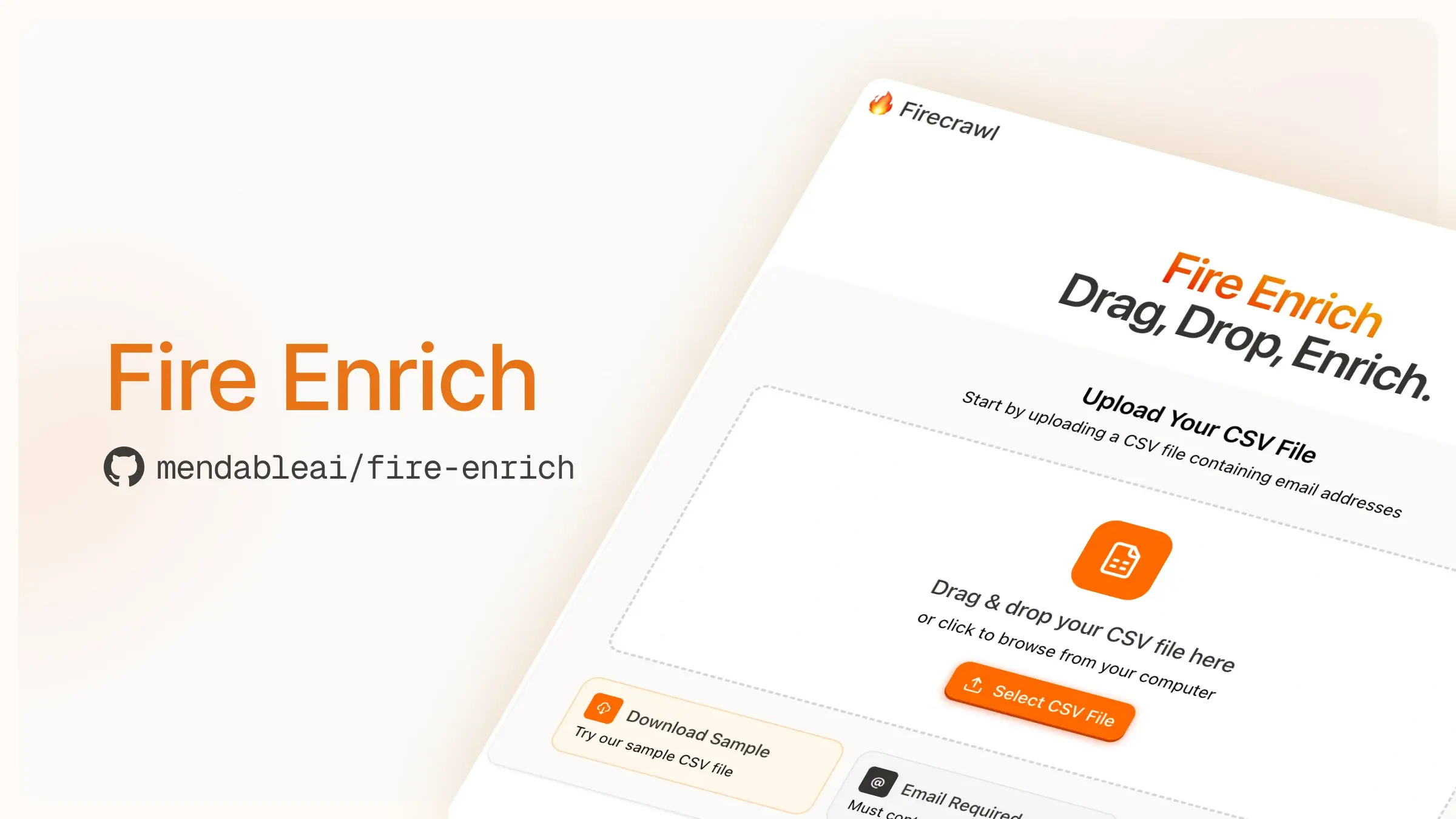
Who this is for: agencies prospecting clients, B2B affiliates, anyone with a spreadsheet of company names and a cold outreach plan.
The problem it kills: a raw lead list is just names. Enriching 200 rows manually (visit site, find what they do, check their offer, note their tech) is a week of intern time.
The flow:
Google Sheets Trigger (new row added)
→ Firecrawl: Search (find the company's official site if URL missing)
→ Firecrawl: Scrape (homepage + /about + /pricing)
→ AI node (OpenAI/Claude/Gemini): summarize offer, audience, pricing model
→ Google Sheets: write enrichment columns back to the row
Drop a company name into the sheet and three minutes later the row has a website, a two-line description of what they sell, who they target, their pricing model, and a personalization hook for outreach. This is one of the most requested builds from our agency clients, because it turns cold outreach from generic spray into researched contact at scale.
Also Read 👉 Firecrawl Lead Generation Playbook
Cost per lead: roughly 3 to 5 credits. A 500-lead month runs about 2,000 credits, which is pocket change on Firecrawl’s $16 Hobby plan.
Copy-paste prompt:
Build an n8n workflow triggered when a new row is added to my
"Leads" Google Sheet. Take the company name, use Firecrawl Search
to find its official website, then Firecrawl Scrape on the homepage
and pricing page. Send the markdown to an AI node to extract: what
the company sells, target audience, pricing model, and one
personalized outreach opener. Write all four into the same row.
✍️ Automation 3: Content Brief Generator
Who this is for: content teams, SEO agencies, affiliate publishers, solo bloggers who want agency-grade briefs without agency retainers.
The problem it kills: a proper SEO brief means reading the entire top of the SERP, mapping headings, spotting gaps, and collecting questions. Done well, that is 60 to 90 minutes per brief. Most people skip it and publish blind.
The flow:
Form Trigger or Sheet (enter target keyword)
→ Firecrawl: Search (top 5-8 ranking results, with full content scraping)
→ AI node: analyze all competitor content
→ Output: heading map, entities covered, content gaps, FAQ list, suggested outline
→ Google Docs or Notion: create the brief document
The magic ingredient is that Firecrawl’s Search operation returns results with full scraped content, not just links. So your AI node reads what actually ranks, not summaries of it. The output brief tells your writer exactly what the top pages cover, what questions they answer, and where the gaps are.
We run a version of this internally for our own content pipeline. Time per brief went from about an hour to about four minutes of review.
Copy-paste prompt:
Build an n8n workflow with a form trigger where I enter a keyword.
Use Firecrawl Search to get the top 6 Google results with full page
content. Pass everything to an AI node that produces: a combined
heading map of all competitors, topics every competitor covers,
gaps none of them cover, all questions they answer, and a suggested
outline to outrank them. Save the brief as a new Google Doc named
after the keyword.
📰 Automation 4: Niche News Monitor → Slack Digest
Who this is for: media buyers watching offer landscapes, affiliate managers tracking networks, agencies keeping clients informed, anyone whose niche moves fast.
The problem it kills: staying informed means checking a dozen sources daily, and the day you skip is the day the big change drops.
The flow:
Schedule Trigger (daily or hourly)
→ Firecrawl: Scrape or Batch Scrape (news pages, changelogs, blog indexes, offer pages)
→ Filter: only items newer than the last run
→ AI node: summarize each new item in one line, ranked by relevance
→ Slack or Telegram: post the digest to your channel
Point it at competitor blogs, network announcement pages, platform changelogs, or regulator news pages. Every morning your team channel gets a ranked digest of what actually changed, with links. For deeper coverage, swap the Scrape node for Firecrawl’s Monitor capability, which watches pages for changes and only fires when something is genuinely new.
A media buying team we work with runs this against ad platform policy pages. When a policy shifts, they know before the account managers do, and in that business early knowledge is margin.
Copy-paste prompt:
Build an n8n workflow that runs every morning at 8am. Use Firecrawl
Batch Scrape on this list of URLs: [paste blog/news/changelog URLs].
Compare with the previous run and keep only new items. Send new
items to an AI node to write a one-line summary each, ranked by
importance for [your niche]. Post the digest to Slack #industry-news
with links.
🧠 Automation 5: Self-Updating RAG Knowledge Base
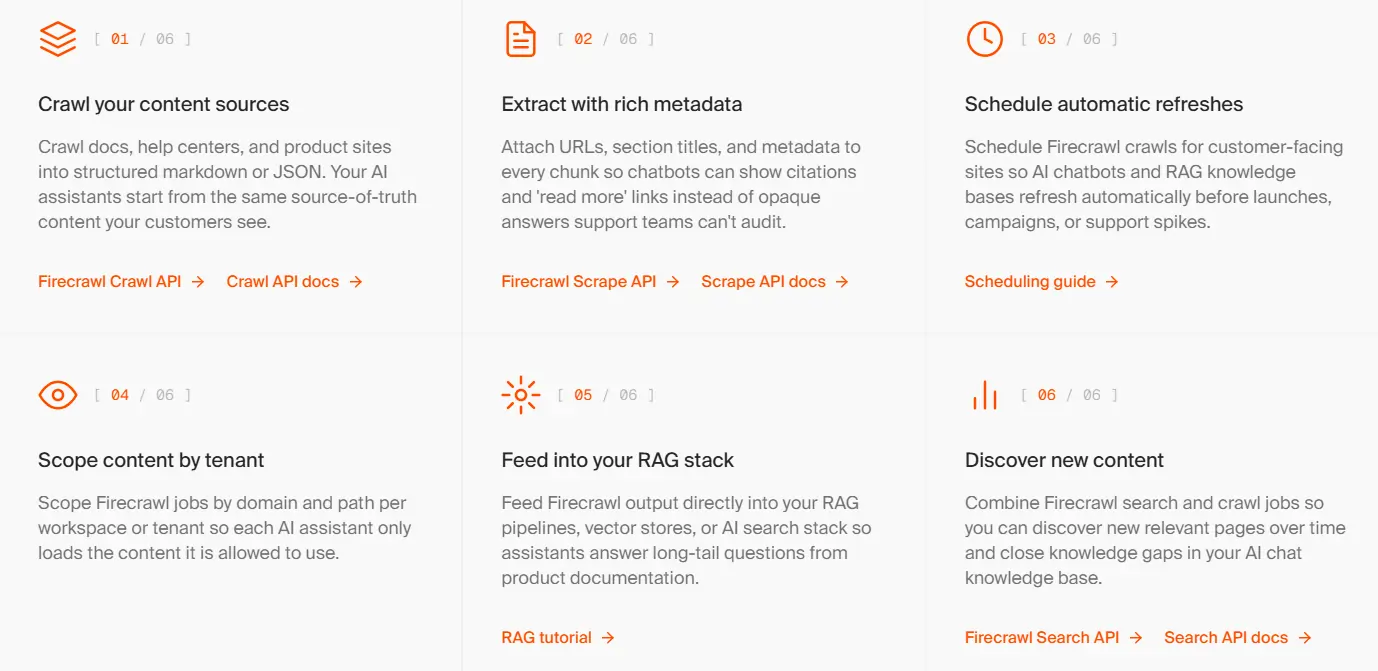
Who this is for: anyone running an AI chatbot or assistant that answers from documents: support bots, internal agents, client-facing AI tools.
The problem it kills: RAG knowledge bases rot. You index your docs or your product pages once, the content changes, and your chatbot confidently serves last quarter’s answers.
The flow:
Schedule Trigger (weekly)
→ Firecrawl: Map (list every URL on the source site)
→ Firecrawl: Batch Scrape (pages changed or new since last run)
→ Text splitter → Embeddings node (OpenAI or similar)
→ Vector store node (Pinecone, Qdrant, Supabase, or n8n's built-in)
→ Your AI agent always retrieves from fresh data
n8n ships native nodes for the entire AI stack (embeddings, vector stores, agents), so this whole pipeline is drag-and-drop. Because Firecrawl returns clean markdown instead of HTML soup, your chunks embed well and retrieval quality is noticeably better than naive scraping. Index your own docs for a support bot, or index a vendor’s docs so your team’s internal assistant always knows the current API.
This is the automation that most impresses clients in demos, because it turns “we have a chatbot” into “we have a chatbot that is never out of date.”
Copy-paste prompt:
Build an n8n workflow that runs weekly: use Firecrawl Map on
docs.mycompany.com to list all URLs, Batch Scrape any pages that
are new or changed, split the markdown into chunks, embed them with
OpenAI embeddings, and upsert into my Pinecone index "support-kb",
replacing old vectors for updated pages.
💸 What All This Costs to Run
The complete five-automation stack, monthly:
| Component | Cost |
|---|---|
| Firecrawl (all 5 automations, moderate volume) | Free tier to $16/mo |
| n8n self-hosted on a VPS | $5 to $10/mo |
| n8n Cloud (if you skip the server) | From ~$24/mo |
| AI nodes (LLM API usage) | Typically $5 to $20/mo |
Call it $10 to $60 per month for an automation layer that replaces what would honestly be a part-time hire. And because n8n executions are unlimited when self-hosted, scaling up means adding workflows, not adding bills.
Firecrawl credit budgeting per automation, so you can size your plan: price watcher ~750 credits, lead enrichment ~2,000 per 500 leads, content briefs ~50 per brief, news monitor ~900 for a 30-source daily sweep, RAG updater depends on site size but a 300-page docs site refresh is ~300 credits weekly. Most solo operators fit in free or Hobby. Agencies running client workloads land comfortably on the $83 Standard plan with its 100,000 monthly credits.
Every automation in this guide starts on Firecrawl’s free plan: 1,000 credits monthly, no card. Through our exclusive link, upgrading gets you 10% off your first purchase automatically, plus about 2 months free on annual billing.

🤝 Want These Built for You?
Everything above is genuinely buildable by a non-technical person in a weekend, especially with Claude or ChatGPT assembling the workflows from the prompts we included.
But if your situation is bigger than a weekend project (multi-client automation, compliance-sensitive data, custom AI agents wired into your CRM and reporting stack), that is literally what our team does.
AFFiNCO’s AI Agent & Workflow Automation service designs, builds, and maintains these systems for agencies, affiliates, and brands, on the same Firecrawl + n8n foundation this article runs on, with the transparency and reporting we are known for.
and tell us which of the five automations you want first. We will scope it on the call.
The Bottom Line
Five automations, zero code, and a monthly cost that rounds to a nice dinner: a competitor price watcher that never sleeps, a lead enrichment pipeline that researches while you prospect, a brief generator that reads the whole SERP for you, a news monitor that makes your team the first to know, and a RAG knowledge base that refuses to go stale.
The stack is two tools. Firecrawl turns the web into clean data, 1,000 pages a month free. n8n moves that data everywhere you need it, free if you self-host. Start with the price watcher this week; it is the fastest to build and the fastest to prove value. Then let the other four follow.
Node operations and setup verified against the official Firecrawl n8n integration docs in July 2026. Tool pricing changes; confirm current rates on firecrawl.dev and n8n.io before committing.

Aliakbar Fakhri
The founder of AFFINCO
Affiliate Disclosure: This post may contain some affiliate links, which means we may receive a commission if you purchase something that we recommend at no additional cost for you (none whatsoever!)
Similar Posts






About the author:
Aliakbar Fakhri
Founder & CEO of AFFiNCO
I’m Ali, Founder of AFFiNCO, with 15+ years in SEO, paid ads and affiliate marketing.
I run 65+ sites of my own, so every strategy on this blog was tested on my money before it reached you. No guru fluff. Just what actually works.