
How to Scrape Any Website Without Code Using Thunderbit AI

By :
Ali
July 28, 2026
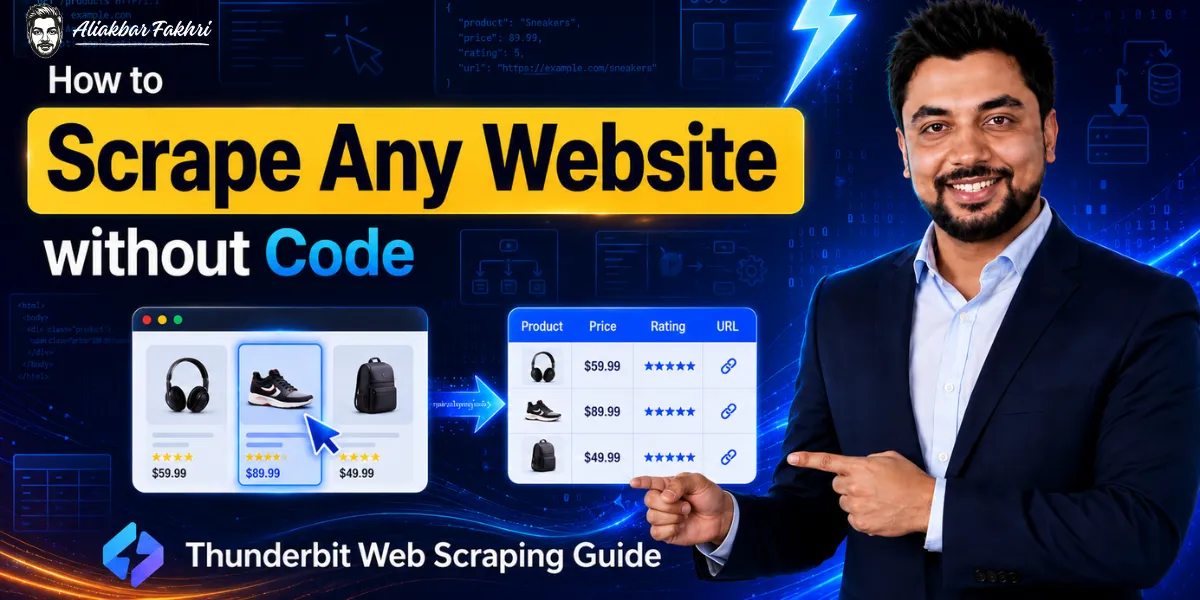
Web scraping used to be a coder’s job.
You needed Python, CSS selectors, XPath, proxies, and the patience to fix a broken scraper every time a website changed its layout.
For most marketers, founders, and researchers, that was a wall. The data was right there on the screen, but getting it into a spreadsheet meant hiring a developer or giving up.
In 2026, that wall is gone.
AI web scrapers now read a page the way a human does, understand what the data means, and pull it into clean rows in seconds. No code. No selectors. No fixing broken scripts at midnight.
This guide shows you exactly how to do it, step by step, using the tool I settled on after testing the whole market: Thunderbit. By the end, you will be able to scrape leads, prices, jobs, listings, or almost anything else from any website, and send it straight to Google Sheets.
Let us get into it.
⚡ Quick Answer: How to Scrape a Website Without Code
The fastest way to scrape any website without code in 2026 is with an AI web scraper like Thunderbit. Install its Chrome extension, open the page you want, click AI Suggest Fields to let the AI detect the columns, then click Scrape. The data lands in a clean table you can export to Google Sheets, Airtable, Notion, CSV, or Excel in one click. No selectors, no scripts, and it starts free.


What Is Web Scraping (In Plain English)
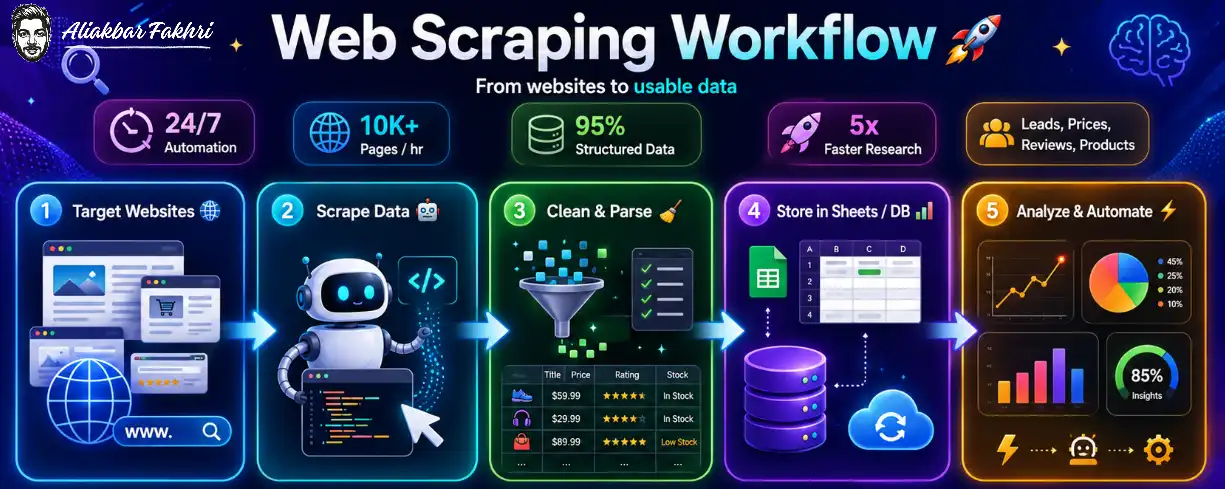
Web scraping means automatically collecting information from websites and organizing it into a structured format like a spreadsheet.
Instead of copying and pasting 500 business names, phone numbers, and addresses by hand, a scraper grabs all of them in seconds and drops them into neat rows and columns.
That is it. That is the whole idea.
The data you can scrape is everywhere: product listings, prices, reviews, real estate listings, job posts, business directories, social media profiles, contact details, and more. If you can see it on a web page, a modern scraper can usually pull it.
The old way needed code. The new way needs a click.
Why No-Code AI Scrapers Changed Everything
Traditional scrapers, and even some popular ones today, work with CSS selectors. You had to tell the tool exactly where each piece of data lived in the page’s HTML. Build a scraper for one site, and it would break the moment that site changed its design. Move to a new site, and you built the whole thing again.
AI web scrapers flipped this completely.
Now you just describe what you want in plain language. You type the column names you need, like “Name,” “Email,” “Price,” or “Job Title,” and the AI reads the page, understands the content, and fills those columns for you.
No selectors. No HTML. No rebuilding for every site.
This is the shift that made scraping accessible to everyone, not just developers. And it is why I moved a big chunk of my client data work to this approach.
Meet Thunderbit: The AI Web Scraper I Actually Use
I have tried a lot of scrapers. Octoparse and Firecrawl are still favorites of mine for certain jobs, and I have tested Browse AI too. Each has its place.
But when a client needs data extracted fast, with zero technical setup, Thunderbit is the one I reach for now.
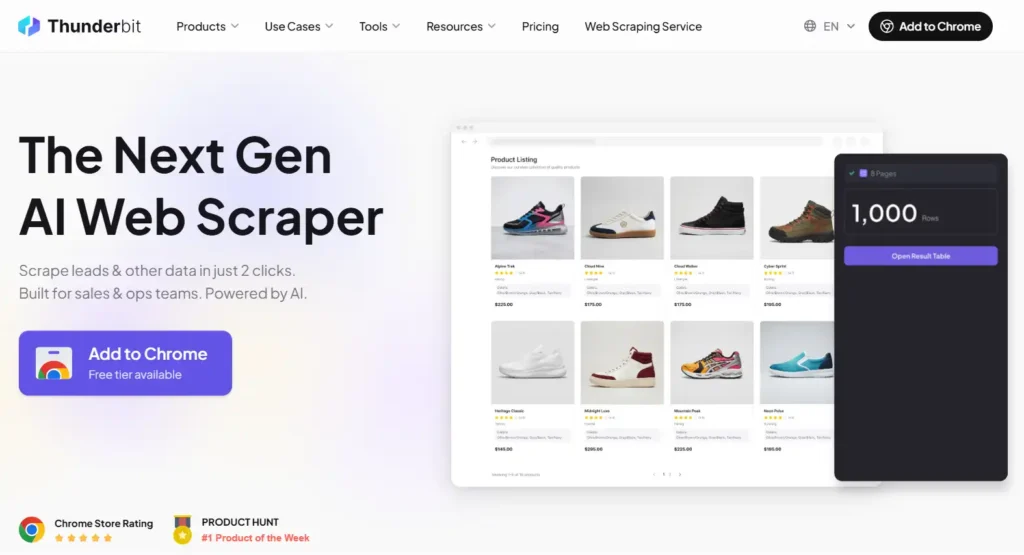
Thunderbit is an AI web scraper that runs as a Chrome extension and claims to scrape data in two clicks. After four months of real use, I can tell you that claim mostly holds up. It is genuinely that fast for most pages.
A few things make it stand out:
It is trusted at scale as well. Thunderbit reports around 200,000 users, including people at Harvard, MIT, Adidas, BCG, and Wix, and it was a #1 Product of the Week on Product Hunt. That is not why you should use it, but it tells you the tool is real and maintained.

You can follow this entire tutorial on Thunderbit’s free plan, which gives you 30 credits per page across 6 pages per month, no credit card needed.
Step-by-Step: How to Scrape Any Website Without Code
Here is the exact process. I will keep it simple, because the tool is simple.
Step 1: Install the Thunderbit Chrome Extension
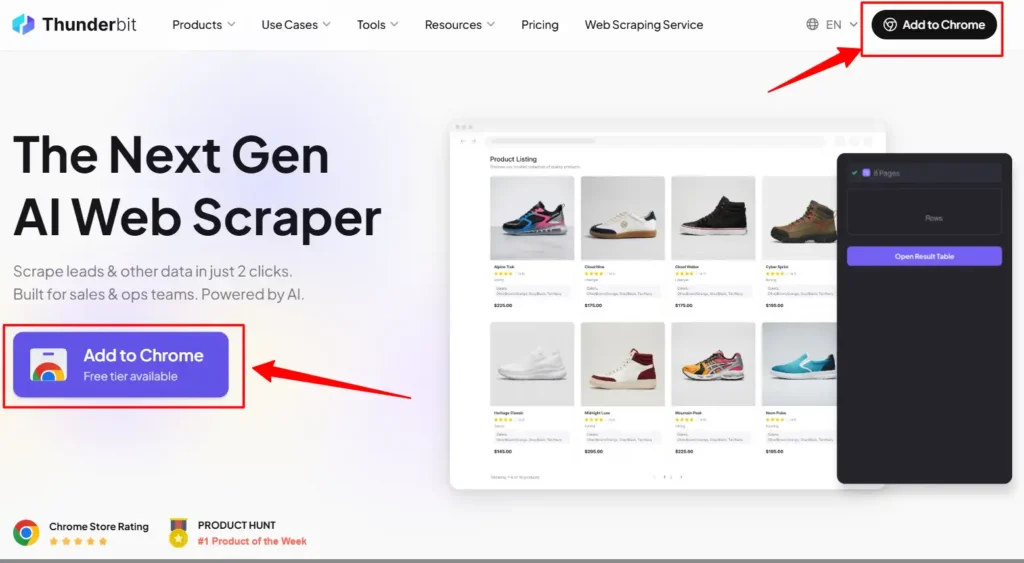
Head to Thunderbit and add the extension to Chrome. It installs in a few seconds, and you sign up with a free account.
Once installed, you will see the Thunderbit icon in your browser toolbar. That is your scraping button from now on.
Step 2: Open the Page You Want to Scrape
Navigate to any website you want data from. A business directory, a real estate site, a job board, a product category page, anything.
Let the page fully load. If it is a list (search results, listings, products), scroll a little so the content is there.
Then click the Thunderbit extension icon to open the panel.
Step 3: Click “AI Suggest Fields”
This is the magic step.
Instead of telling Thunderbit where each piece of data is, you click AI Suggest Fields. The AI reads the page and automatically proposes the columns it thinks you want, things like Name, Price, Rating, Address, or Email, depending on the page.
In most cases, it nails the structure on the first try. You get a ready-made table layout without lifting a finger.
Step 4: Adjust Your Columns (Optional)
If you want something specific, just type it.
Add a column, name it whatever you want (“Owner Name,” “Phone,” “Reviews Count”), and set the data type. You can even give the AI an instruction for a column, like “extract only the mobile number” or “summarize the description in 10 words.”
This is where the natural-language power shows. You are describing the output you want in your own words, and the AI handles the extraction logic.
Here are a few example column setups I use:
Column: Business Name    → Type: Text
Column: Phone            → Type: Text (instruction: mobile only)
Column: Email            → Type: Text
Column: Rating           → Type: Number
Column: Summary          → Type: Text (instruction: summarize in 10 words)
Step 5: Click “Scrape”
Now the second click. Hit Scrape, and Thunderbit fills your table with clean, structured data from the page.
Rows appear in seconds. What would have taken hours of copy-paste, or a custom script, is done.
Step 6: Scrape Subpages (When You Need Detail)
Sometimes the list page does not have everything. The good data lives on each item’s detail page.
Thunderbit handles this with subpage scraping. It can visit each linked page, pull the deeper details (like a full description, contact info, or specs), and add them to your rows automatically.
So you can scrape a directory list, then have Thunderbit open each business’s page and grab the email and phone that were not on the main list. All in one flow.
Step 7: Export to Google Sheets (or Anywhere)
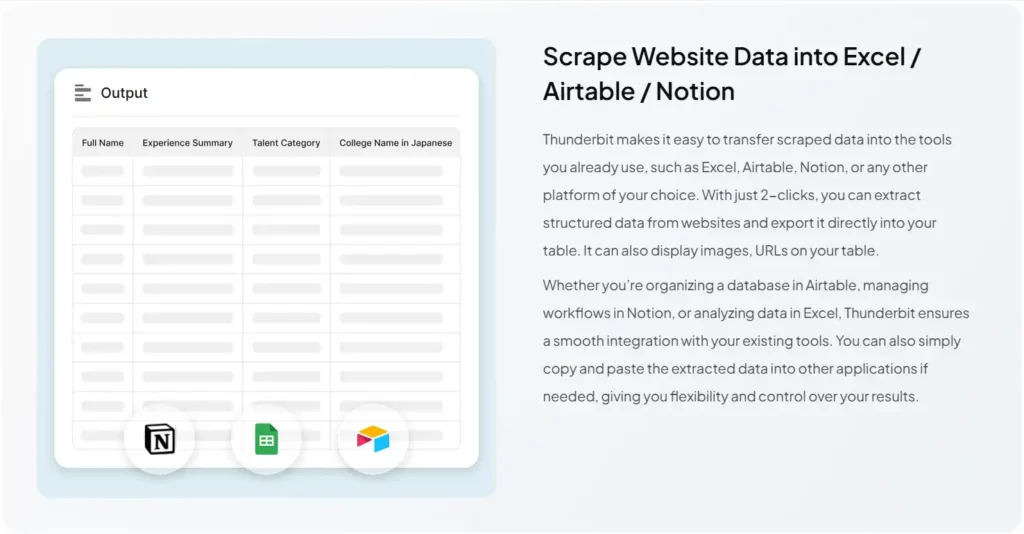
Finally, send your data where you work.
One click exports to Google Sheets, Airtable, or Notion, or downloads as CSV or Excel. No formatting cleanup, no messy paste. It lands ready to use.
That is the whole method. Install, open, suggest fields, scrape, export. Two real clicks for most jobs.
Real Ways I Have Used Thunderbit (Beyond the Basics)

The tutorial above is the foundation. Here is what it looks like on real projects, so you can see how far it stretches.
Lead Generation and Directories
This is my most common use. I point Thunderbit at business directories and Google Maps and pull business names, phone numbers, emails, websites, and ratings into a sheet.
For one real estate client, I used it to extract leads and listing details from inside their target platform, cleanly and fast, without building a single custom scraper.
Google Maps scraping alone is worth the price for anyone doing local lead gen.
Building a Job Board
Here is a fun one. I helped a friend build a job board for the affiliate and performance marketing niche.
Thunderbit extracted relevant jobs for affiliate marketers, media buyers, and performance marketers from Indeed, Glassdoor, Wellfound, Monster, and FlexJobs, and even pulled gigs from Fiverr very quickly.
One tool, many sources, same simple flow. That is the part that still impresses me.
E-commerce and Price Data
With prebuilt templates for Amazon, eBay, Etsy, AliExpress, Walmart, and Zillow, product and price scraping is basically instant. Great for competitor research, dropshipping, and market analysis.
Social and Content Scraping
I have used it to pull data from TikTok and Twitter/X, YouTube, and even Wikipedia and travel sources. If you research content or trends, this is a fast way to gather it.
The point is simple: the same no-code method works across almost any website. You learn it once, and it applies everywhere.
Prebuilt Templates: One-Click Scraping
For popular sites, you do not even need to set up fields.
Thunderbit ships with prebuilt templates for major platforms including Amazon, Zillow, Google Maps, eBay, Etsy, AliExpress, TikTok, Twitter/X, and more. Pick the template, click, and scrape.
These are perfect for beginners. Start with a template on a site you know, see the clean output, and you will understand the whole tool in five minutes.
Beyond Web Pages: Documents, PDFs, and Images
Most scrapers stop at web pages. Thunderbit does not.
It can extract structured data from documents, PDFs, and images too. So if your data lives in a PDF report, a scanned table, or an image, the same AI can read it and give you rows.
For research, invoices, catalogs, and reports, this is a genuinely useful extra that saved me real time.
For Builders: The Thunderbit API and MCP
Here is the part developers and SaaS builders will care about.
Thunderbit is not only a Chrome extension. It offers a Web Scraper API, plus CLI and an MCP server.
The API means you can build scraping directly into your app’s backend. If you are building a SaaS, a directory, or an AI project that needs live web data, you call the API and get structured results.
And because it has an MCP server, you can connect it to AI agents like Claude. Using Claude Code, wiring Thunderbit into a project can be done very fast, so an agent can scrape on demand as part of a bigger automated workflow.
So Thunderbit scales from “beginner clicking a button” all the way to “developer building it into production.” That range is rare.
Scheduled Scraping: Set It and Forget It
You can also schedule scrapes to run automatically.
Point Thunderbit at a page, set a schedule (daily, weekly), and it collects fresh data on its own. For price monitoring, new job listings, or tracking changes, this turns a one-time scrape into an always-on data feed.
Thunderbit Pricing 2026: Is It Worth It?
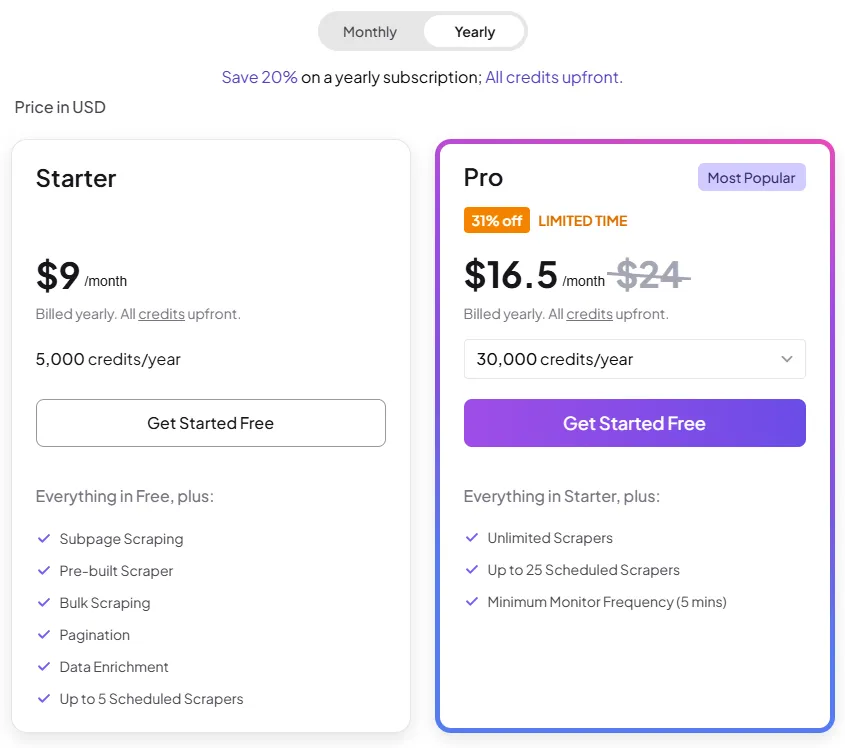
Here is the honest pricing breakdown, because value matters.
Thunderbit runs on a credit system, and one output row equals one credit. That is easy to reason about: 1,000 rows costs 1,000 credits.
| Plan | Price | Credits | Best For |
|---|---|---|---|
| Free | $0 forever | 30 credits/page, 6 pages/month | Trying it out |
| Pro (annual) | ~$16.50/mo billed yearly | ~30,000 credits for the year | Best value, regular use |
| Pro (monthly) | ~$38/mo | 3,000 credits/month | Flexible, no commitment |
| Business | Custom | Custom credits and limits | Teams, high volume |
A few honest observations from paying for it myself.
Is it the absolute cheapest? Not always. If you are doing pure high-volume scraping through an API, something like Firecrawl’s API can work out cheaper per page for certain jobs. I use Firecrawl too, and I am not going to pretend otherwise.
But that misses the point of Thunderbit. You are paying for no-code speed plus AI structuring. For anyone who does not want to write code, or who values pulling clean, ready-to-use rows in two clicks across any site, Thunderbit’s pricing is genuinely cost-effective. Match the tool to the job.
Try Thunderbit on the free plan, run your first real scrape, and only upgrade once it is clearly saving you time. For most people, it pays for itself in the first project.
Tips to Get Better Scraping Results
A few things I learned that make no-code scraping smoother:
FAQs Related to Thunderbit Website Scraping
Can you really scrape a website without any coding?
Yes. AI web scrapers like Thunderbit let you scrape any website without code. You install a Chrome extension, click AI Suggest Fields to auto-detect the data, then click Scrape. No CSS selectors, no scripts, and the data exports to Google Sheets in one click.
What is the easiest way to scrape data into Google Sheets?
The easiest way is an AI scraper with a one-click export. With Thunderbit, you scrape any page in two clicks and send the results straight to Google Sheets, Airtable, Notion, CSV, or Excel without any formatting cleanup.
Is Thunderbit free?
Yes, Thunderbit has a free-forever plan offering 30 credits per page across 6 pages per month, with no credit card required. Paid plans start at around $16.50/month billed annually (about 30,000 credits per year), with one output row equal to one credit.
Can Thunderbit scrape Google Maps and leads?
Yes. Thunderbit has prebuilt templates for Google Maps and directories, making it ideal for lead generation. It extracts business names, phone numbers, emails, websites, and ratings into a clean spreadsheet, and can scrape subpages for deeper contact details.
Does Thunderbit have an API for developers?
Yes. Thunderbit offers a Web Scraper API, a CLI, and an MCP server, so developers can build scraping into their apps or connect it to AI agents like Claude. Using Claude Code, integrating the API into a project can be done quickly.
What can you scrape with Thunderbit besides web pages?
Beyond web pages, Thunderbit extracts structured data from documents, PDFs, and images. It also handles subpages, scheduled scraping, and AI tasks like summarizing, categorizing, and translating data during extraction.
Is web scraping legal?
Scraping publicly available data is generally acceptable, but it depends on the site’s terms of service and the type of data. Avoid scraping personal data without a lawful basis, respect robots.txt and rate limits, and check each site’s terms. When in doubt, stick to public, non-personal information.

Aliakbar Fakhri
The founder of AFFINCO
Final Thoughts: Scraping Is a Skill Anyone Can Have Now
For years, web scraping was gatekept behind code. If you could not write Python, the data stayed out of reach.
That era is over.
With an AI scraper like Thunderbit, extracting data from any website is a two-click skill. Install the extension, let the AI suggest your fields, scrape, and export. Whether you are gathering leads, tracking prices, building a job board, or feeding data into an AI project, the barrier is gone.
I tested a lot of tools to arrive here. Octoparse and Firecrawl still earn their place in my stack, and I told you honestly where each fits. But for fast, no-code, AI-powered scraping across almost any site, Thunderbit is the one I keep coming back to, and the one I recommend to beginners without hesitation.
The best part: you can start free and prove it to yourself in the next ten minutes.
Start Scraping Any Website Today
Turn website data into clean spreadsheets with two-click AI scraping. No coding, selectors, or custom scraper setup required.
Affiliate Disclosure: This post may contain some affiliate links, which means we may receive a commission if you purchase something that we recommend at no additional cost for you (none whatsoever!)
Similar Posts







About the author:
Aliakbar Fakhri
Founder & CEO of AFFiNCO
I’m Ali, Founder of AFFiNCO, with 15+ years in SEO, paid ads and affiliate marketing.
I run 65+ sites of my own, so every strategy on this blog was tested on my money before it reached you. No guru fluff. Just what actually works.