TikTok Ads Manager Guide 2026: Setup, Pixel, Budgets & Ads

By :
Ali
August 13, 2026
There are four settings in TikTok Ads Manager you can never change once you click create.
Most setup guides don’t mention them. I’ve watched people burn an entire ad account because they picked the wrong currency at signup, on a Tuesday, in about nine seconds.
I’ve run TikTok ads for four years across US and Dubai entities, and I’m an official TikTok for Business partner. That doesn’t make me right about everything. It means I’ve made these mistakes already.


This is the full walkthrough. Account creation through first campaign, with the parts that actually cost money marked clearly.
✅ Bottom Line Up Front
- The four irreversible settings: time zone, region, business name, currency. TikTok states plainly that you can’t edit these after account creation. Get them right or open a support ticket later.
- A website is mandatory. TikTok can only approve a Business account if there’s an official website. A social profile doesn’t count.
- Minimum budgets: campaign daily and lifetime must exceed $50. Ad group daily must exceed $20, and ad group lifetime is $20 × number of days.
- Account review takes under 24 hours in most cases. Ad review is also typically within 24 hours.
- New advertisers can get up to $6,000 in ad credits. It’s real, it’s issued after billed spend, and there’s no shareable coupon code for the US, UK or EU. More on this below.
What TikTok Ads Manager Actually Is
TikTok Ads Manager is the self-serve platform where you create, target, run and measure paid campaigns on TikTok. It’s the equivalent of Meta Ads Manager or Google Ads, for TikTok inventory.
It’s free to use. You pay only for ad delivery.
People search for the TikTok Ads Manager platform expecting something separate from TikTok for Business. It isn’t — TikTok for Business is the umbrella brand, and Ads Manager is the campaign tool inside it.
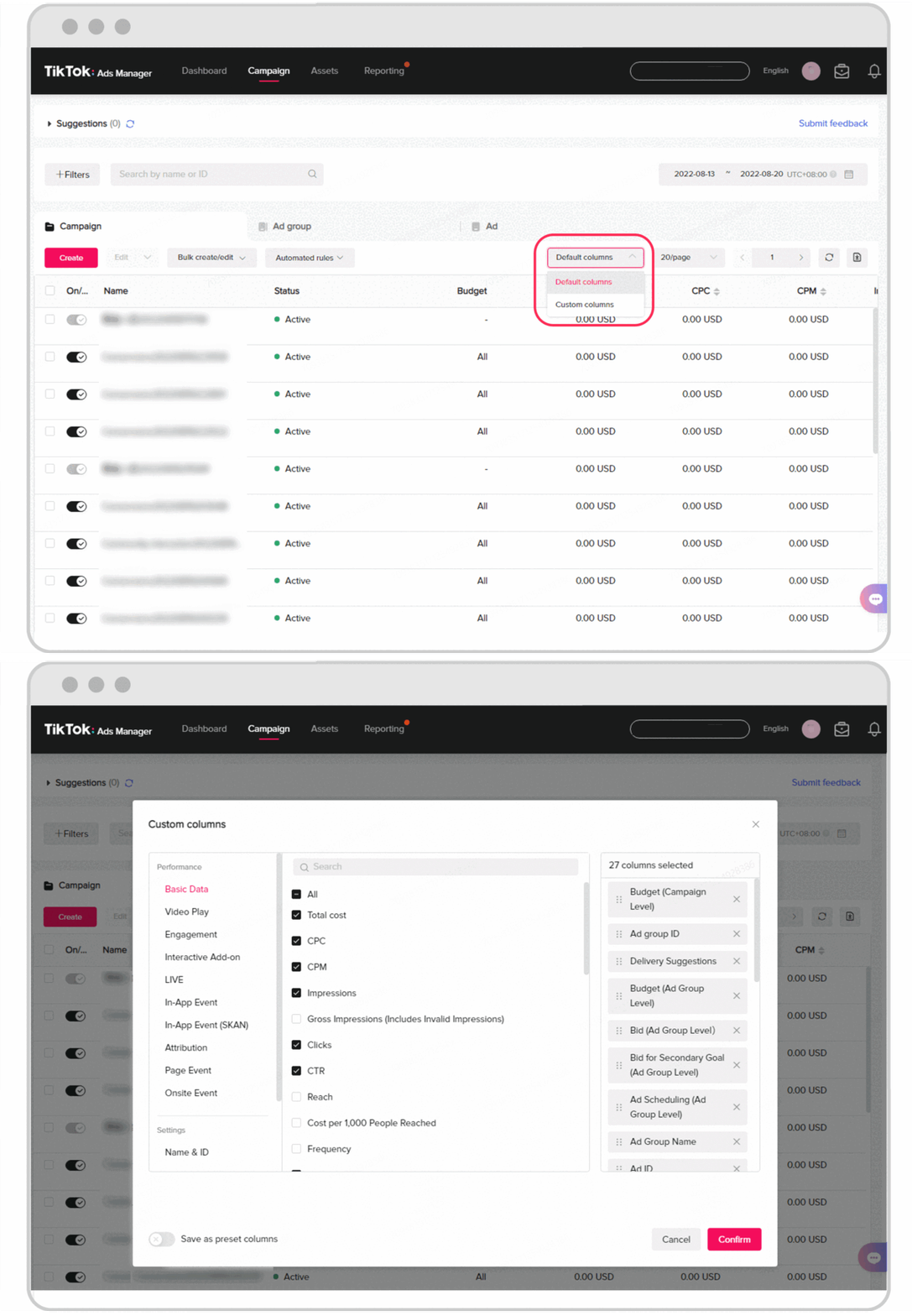
The interface has four sections.
- Dashboard summarises spend, performance metrics and alerts.
- Campaigns is where everything you’ve built lives.
- Tools holds Events, Creatives, Audiences, Catalogs, Comments and Instant Pages.
- Analytics builds custom and scheduled reports.
One thing worth clearing up early, because people conflate them. Ads Manager is where you build campaigns. Business Center is the layer above it, managing multiple ad accounts, users and payment methods.
If you run one brand, you may never need Business Center. If you run clients, you’ll live in it.
Placements now reach beyond TikTok itself. Your ads can serve on TikTok, TikTok Search Feed, Pangle, the Global App Bundle and Lemon8. That matters for budgeting, because Pangle traffic behaves nothing like in-feed TikTok traffic.
Where to Find It and How to Log In
TikTok Ads Manager lives at ads.tiktok.com. That’s the only URL you need, and it’s the TikTok ads login page whether you’re signing in or signing up.
Your TikTok Ads Manager login is separate from your personal TikTok app login. You create it with an email or phone number and a password during signup. Having a TikTok creator account doesn’t give you an ad account.
The TikTok Ads Manager sign up flow and the login sit on the same page — new advertisers register, existing ones sign in.
If you’re already signed up, go to ads.tiktok.com and sign in. If you manage several accounts, you’ll land in the Business Center and pick the ad account from there.
There’s no full desktop-equivalent mobile app for campaign building. Build on desktop.
Step 1: Create the Account (The Irreversible Part)
This is the section to read twice.
The flow TikTok uses:
- Create login credentials with email or phone number plus a password
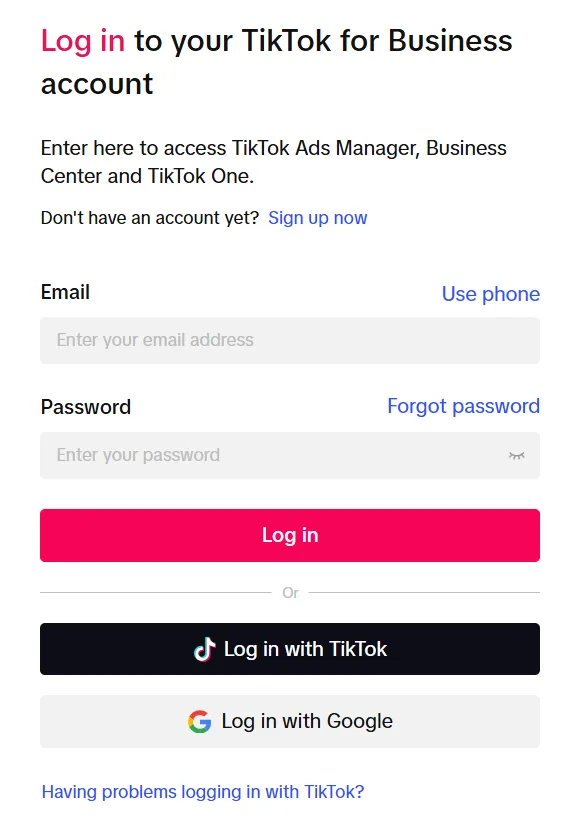
- Verify the email or phone, accept the terms
- Fill in the business information form
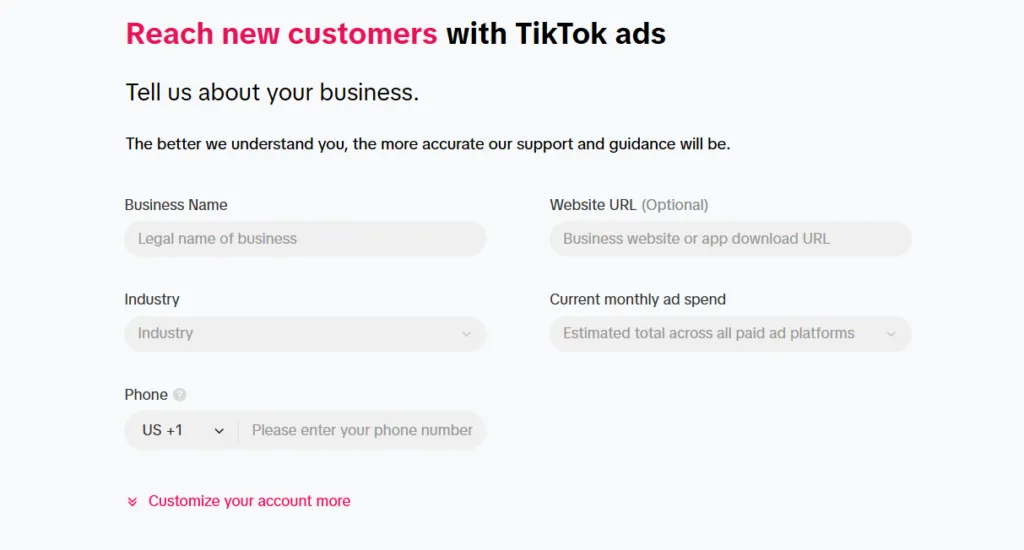
- Agree to terms and register
- Provide billing and payment information
- Select your payment method
- Click Go to Ads Manager
What you’ll be asked for: country or region, industry, legal business name, time zone, phone number, currency, billing address and tax information. Also company website, account name, contact name and email address.
Now the part that matters. TikTok’s own documentation says it directly:
You won’t be able to edit the timezone, region, business name, and currency of your ad account once it’s been created.
Four settings, permanent. Here’s why each one bites.
- Time zone governs when your daily budget resets and how every report is stamped. Pick the zone you actually optimise in. If your team is in India and your buyers are in the US, that’s a real decision, not a formality.
- Currency determines billing and every cost metric you’ll ever read. Changing it later means a support ticket, and in practice often a new account.
- Region affects which promotions, features and payment methods you’re eligible for. It also interacts with ad credit eligibility, which I’ll come back to.
- Business name must match your verification documents. A typo here becomes a verification failure later.
I run separate accounts for the US and Dubai entities for exactly this reason. Different currency, different region, different documents. Trying to force both through one account creates problems you can’t unwind.
Account review completes in under 24 hours in most cases.

Get Up to $6,000 in Ad Credits
New TikTok advertisers may qualify for acquisition incentives worth up to $6,000 in ad credits. Credits are awarded after eligible billed ad spend rather than being applied upfront.
*Offer availability, spend thresholds and eligibility may vary by advertiser account and region. TikTok determines final eligibility and credit issuance.
I’ve documented the actual tier table and the eligibility rules that disqualify most people in my full TikTok ad credit breakdown. If you want the current live offer, my team tracks it on ttbusiness.io.

Step 2: Business Verification
Verification status affects your ability to run ads, and it’s a hard prerequisite for creating an Organization Account in Business Center.
You can verify from either Ads Manager or Business Center.
Document requirements: JPEG, PNG, PDF or JPG, maximum 10MB. All four corners visible. Coloured scans, with exceptions for the US, China and Australia. Valid for at least 30 days. Must clearly show a business licence or certification number.
Review takes up to two business days. Status shows as Pending while it runs.
Get this done before you build campaigns, not after. A pending verification while a launch is scheduled is an avoidable bad week.
Step 3: Billing Setup
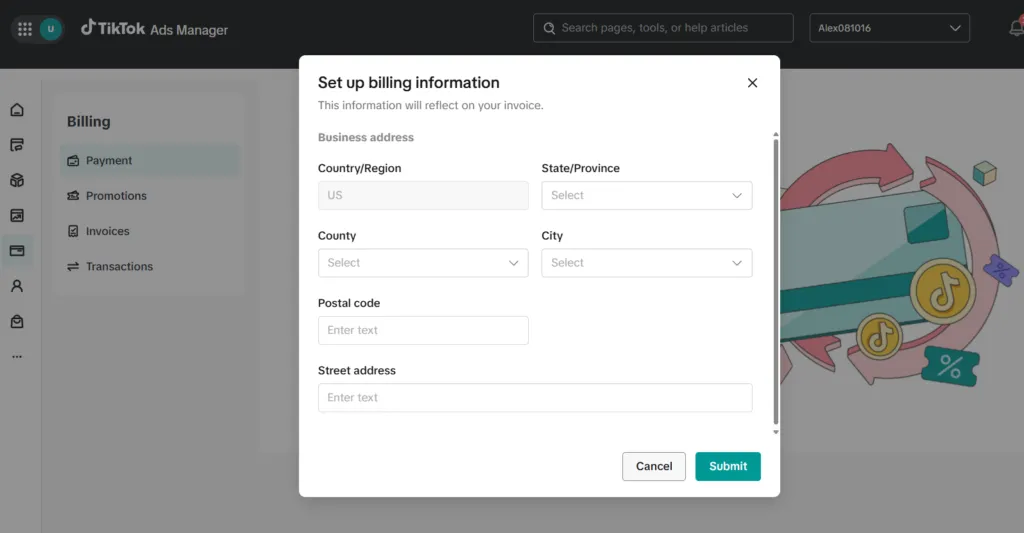
Two models.
- Manual payment requires a 100% advance deposit into TikTok’s designated bank account before ads run. Unused balance carries forward. This is the safer option when you’re testing, because you cannot overspend what you haven’t deposited.
- Automatic payment bills your delivery charges when you hit your billing threshold or your bill date, whichever comes first. Better for scale, worse for discipline.
TikTok doesn’t publish specific threshold amounts, and they vary by account, so don’t trust a blog that quotes you one.
I start every new account on manual. Switching to automatic once the account has history is easy. Recovering from an accidental five-figure automatic charge is not.
Step 4: Pixel and Events API
Skip this and every conversion campaign you run will underperform. It’s the least glamorous step and the one that pays back most.
Installing the pixel:
- Log in to Ads Manager
- Go to Tools
- Select Events Manager
- Click Connect Data Source
- Choose Web
- Enter your URL
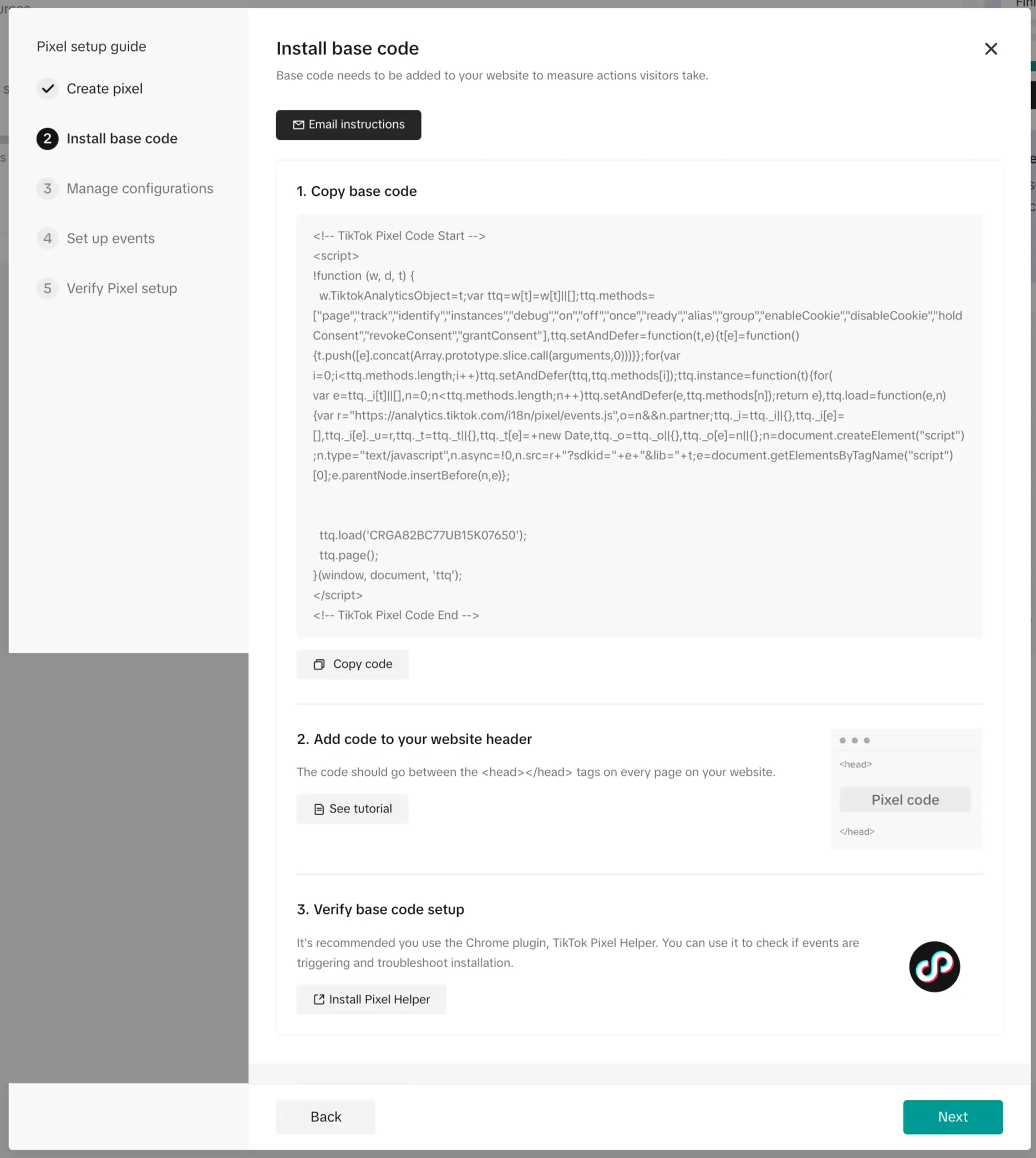
- Choose Partner Integration — Shopify, Google Tag Manager and others — or Manual Setup
Name the pixel after your domain. Maximum 128 characters, and future you will appreciate a name that isn’t “Pixel 1.”
Then install the base code and configure events with Event Builder.
Running pixel alone in 2026 means under-reporting conversions and starving the optimisation algorithm.
The Three-Level Structure
TikTok structures ads into three parts: campaigns, ad groups, and ads.
| Level | What you set |
|---|---|
| Campaign | Objective, campaign type (Manual, Search or Smart+), campaign budget, Campaign Budget Optimization, split test toggle |
| Ad group | Placements, targeting, budget and schedule, bid strategy, optimisation goal, pixel and attribution |
| Ad | Identity, format, creative, ad text, CTA, destination URL, tracking |
If you’ve run Meta ads, this maps cleanly. Campaign is why, ad group is who and how much, ad is what they see.
Step 5: Build the Campaign
Pick the objective first, and pick it honestly.
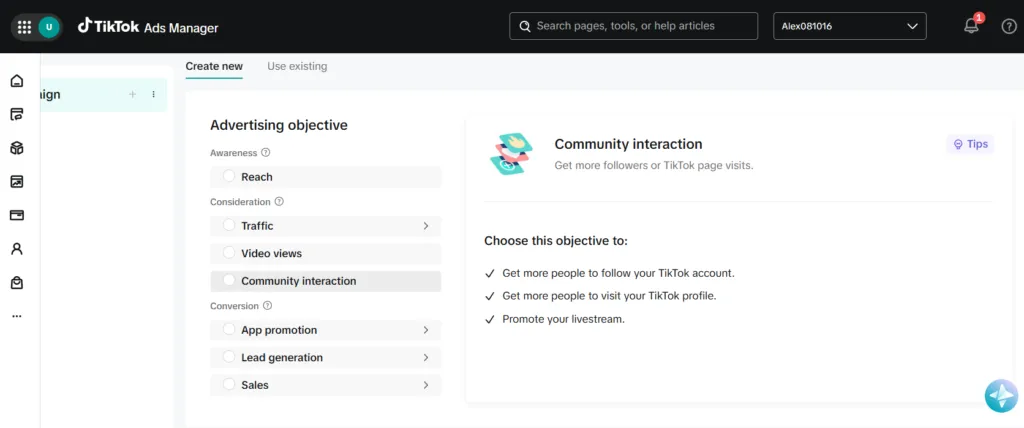
The current objectives, grouped as TikTok groups them:
Awareness
- Reach — show your ad to the maximum number of people
Consideration
- Traffic — send people to a destination on your website or app
- Video views — get views and engagement from an audience likely to pay attention
- Community interaction — followers, profile visits, page visits, or promote a livestream
- Branded Mission — engagement through collaborative solutions
Conversion
- App promotion — installs and in-app actions
- Lead generation — collect leads
- Sales — sell from TikTok Shop, website or app
If you’re following an older tutorial, note the renames. “Website conversions,” “Product sales,” “Catalog sales” and “App install” are no longer separate objectives. They’ve been consolidated under Sales and App promotion. A guide still using those names is out of date, and probably wrong about other things too.
Campaign budget minimums: daily and lifetime must both exceed $50.
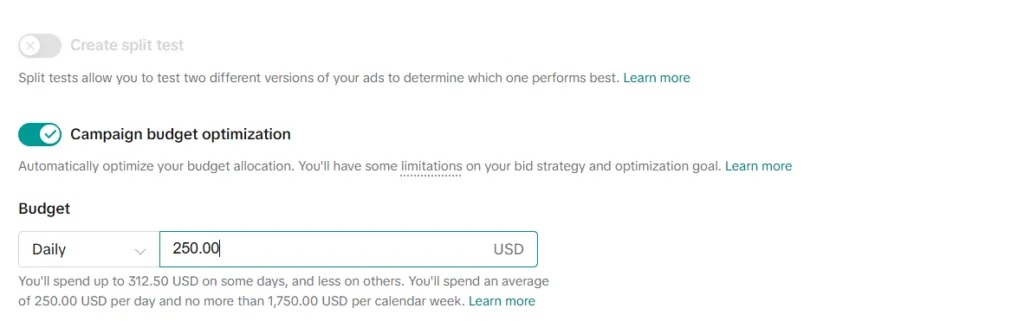
Campaign Budget Optimization distributes budget across ad groups automatically. Useful once you have several ad groups worth comparing. Not useful on day one with a single ad group.
One rule that catches people: you cannot switch between budget types once a campaign or ad group is live. Daily or lifetime, decide now.
Step 6: Build the Ad Group
This is where most of the money is won or lost.
Placements
Automatic or manual. Options are TikTok, TikTok Search Feed, Pangle, Global App Bundle and Lemon8.
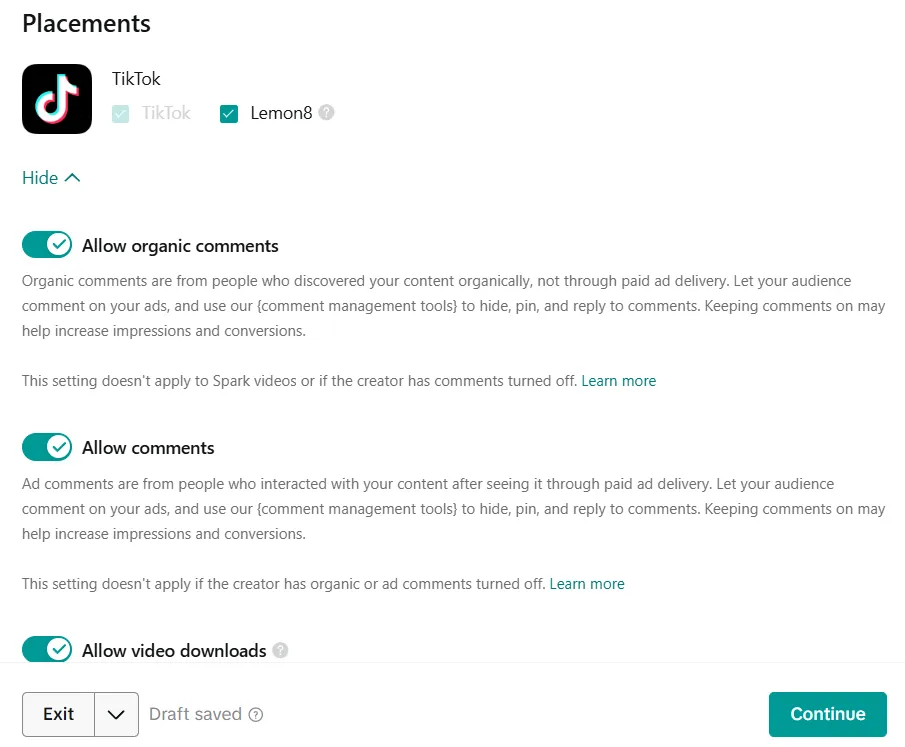
I run automatic for the first week to gather data, then check the placement breakdown. Pangle in particular can absorb budget at attractive CPMs and terrible conversion rates depending on the offer. Look before you keep it.
Targeting
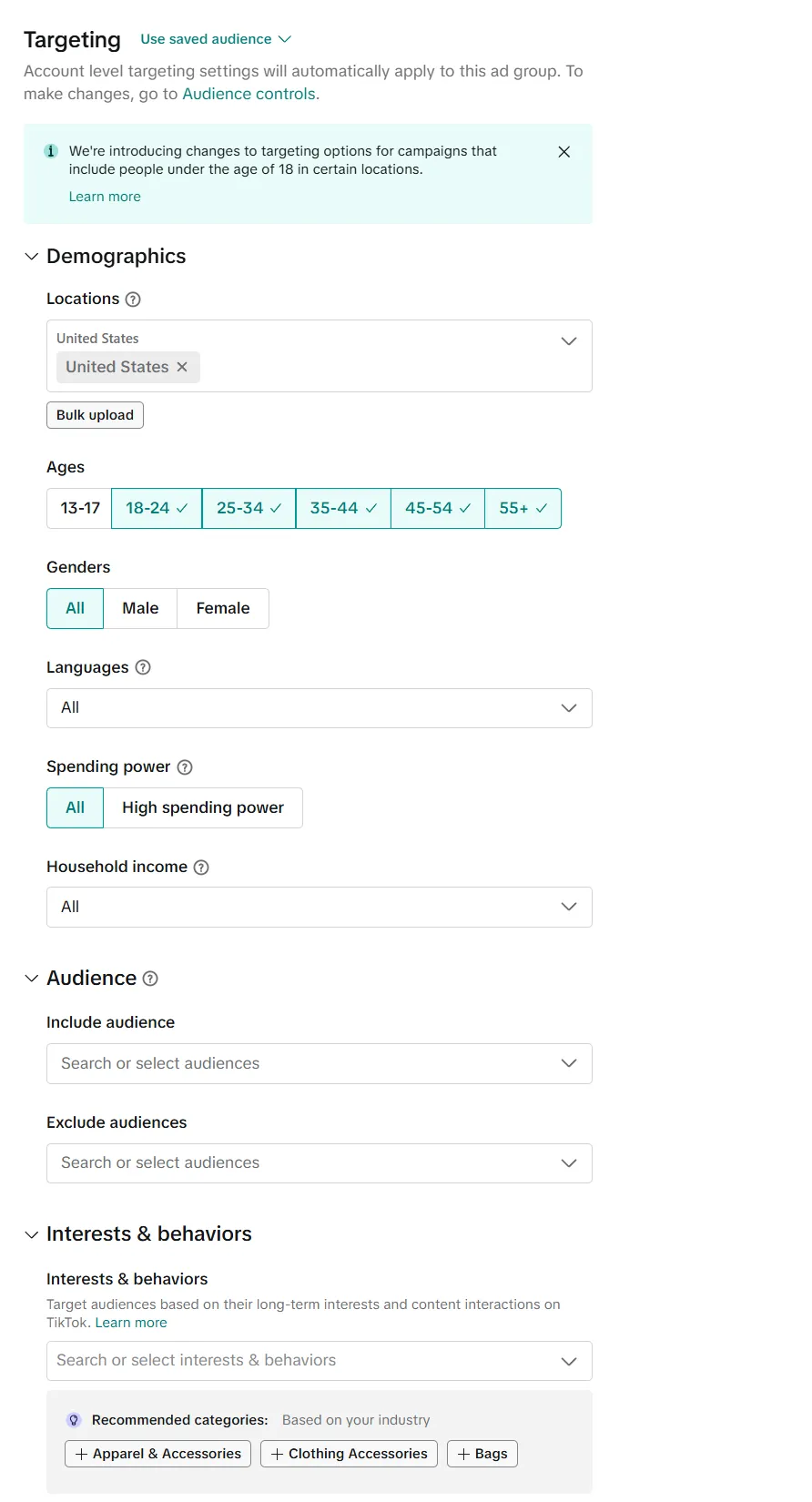
Five dimensions: demographics, audience targeting, advanced targeting, device type, and smart targeting.
The logic rule matters. Selections within the same dimension use OR. Selections across dimensions use AND. Stack four dimensions and your audience collapses faster than you expect.
Here’s the thing that took me two years to accept. TikTok’s own recommendation is broad targeting — over 80% of potential users in a country. Coming from Meta, that feels reckless. On TikTok the creative does the targeting, and over-narrowing starves the algorithm. Test broad before you test narrow.
Budget and bidding
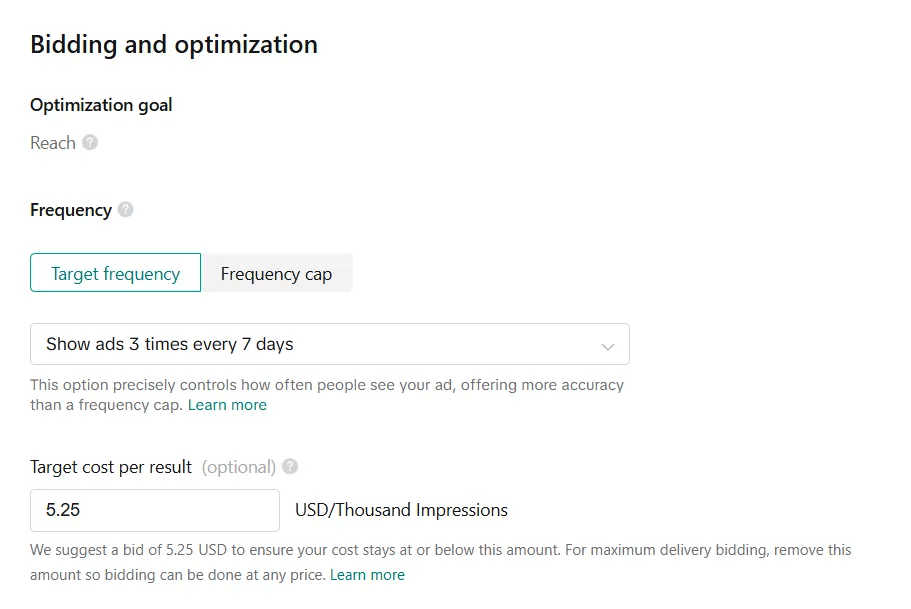
Ad group minimums: daily must exceed $20. Lifetime is $20 × total days. TikTok’s own example: a 31-day campaign needs at least $620.
Bid strategies:
| Strategy | What it does |
|---|---|
| Cost Cap | Optimises delivery toward a cost per action you define |
| Maximum Delivery | Maximises results from your budget in the time available |
| Highest Value / Minimum ROAS | Value-based optimisation for web |
| Target ROAS | Value-based optimisation for app |
Billing events supported are oCPM, CPC, CPM and CPV. Cost Cap is the default for Reach and Video Views.
If a guide tells you to use “Bid Cap” or “Lowest Cost,” it’s out of date. Those aren’t current TikTok terms.
Budget change discipline. TikTok’s guidance: during the learning phase, increase by no more than 40% per adjustment. After learning, no more than 30%, with adjustments at least two days apart. Ignoring this resets learning and wastes the spend that got you there.
Step 7: Build the Ad
Select your identity — the TikTok account the ad appears to come from. Then format, creative, thumbnail, display name, ad text, call to action and destination URL.
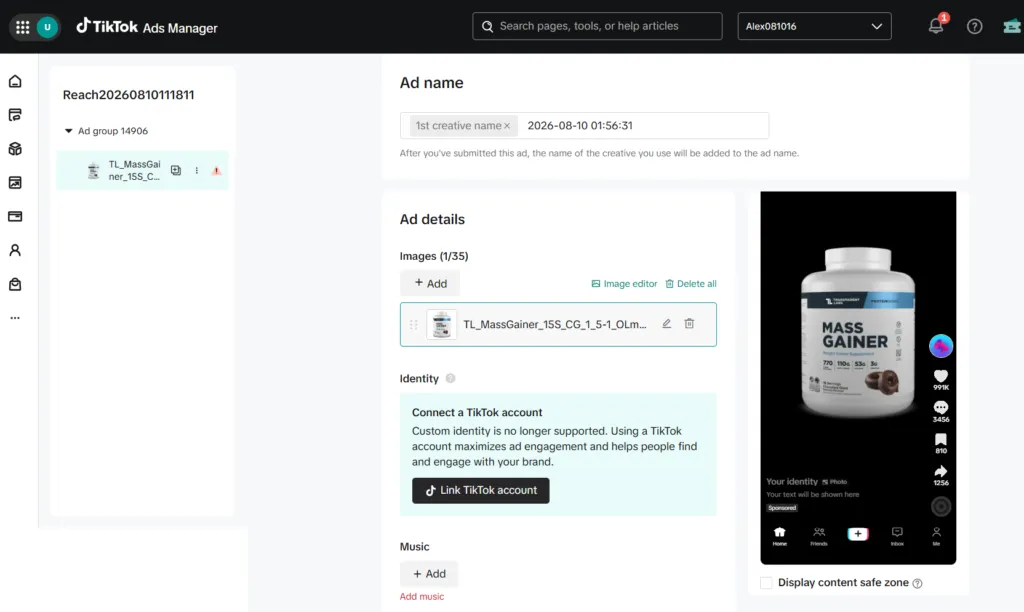
Video specs for in-feed auction ads: 9:16 at 540×960 minimum, 16:9 at 960×540, or 1:1 at 640×640. Formats .mp4, .mov, .mpeg, .3gp, .avi. Up to 10 minutes. Maximum 500MB. Minimum bitrate 516 kbps.
Ten minutes is the ceiling, not the target. Nearly everything that works for me sits under 30 seconds.
Interactive Add-Ons layer on top. Standard ones — Display Card, Download Card, Voting Sticker, Gift Code Sticker, Countdown Sticker — are available in self-serve and are underused. A countdown sticker on a genuine deadline offer is close to free performance.
Smart+: When to Hand Over Control
Smart+ is TikTok’s automation suite. One campaign, AI-driven, across four types: Smart+ Web, Smart+ App, Smart+ Lead Generation and Smart+ Traffic.
It automates audience targeting, budget allocation, placements, creative selection and reporting. Setup needs three inputs: your KPIs, your creative, and your target geography and language.
TikTok’s published testing puts Smart+ Catalog Ads at a 29% CPA improvement over manual campaigns. That’s TikTok’s own number, so weigh it accordingly — but it’s directionally consistent with what I see.
Manual campaigns when I’m learning a new offer, because I want to see which placement and audience produced what. Smart+ once I know the offer converts and I want scale without babysitting.
Handing automation an offer you haven’t validated is how you buy expensive data.
One structural note: Smart+ uses asset groups, supporting up to 50 creatives and 5 texts per ad, with a maximum of 30 unique ads per ad group. Feed it variety. It has nothing to optimise between if you upload two videos.
Symphony: The Creative Layer
TikTok Symphony is a generative AI creative suite, and it’s free for logged-in TikTok for Business accounts.
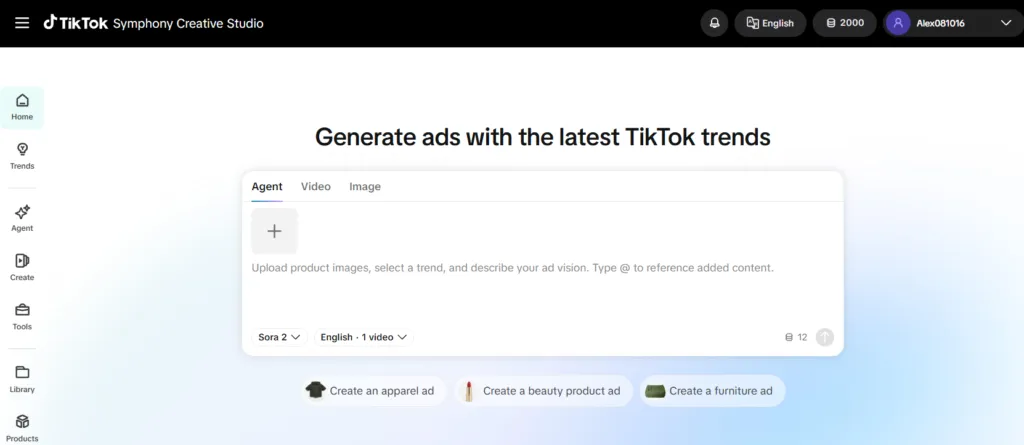
What’s in it:
| Component | What it does |
|---|---|
| Symphony Creative Studio | Generate and remix videos, avatar videos, scripts, translate and dub, video editor |
| Symphony Agent | Turns a brief into video from prompts, using top-performing ad data and trends |
| Symphony Assistant | Creative inspiration, insights, script generation, best practices |
| Digital Avatars | Stock Avatars from licensed actors in 30+ languages, or Custom Avatars of your own spokesperson |
| AI Dubbing | Translates content into 10+ languages and dialects |
| Symphony API | Embeds the video engine for bulk generation under brand guidelines |
TikTok reports a 2.5x increase in weekly creative asset volume among advertisers using it.
The honest limits. All outputs are automatically labelled as AI-generated. And TikTok states plainly that Symphony Creative Studio has no direct connection to the TikTok algorithm — using it doesn’t buy you distribution.
Why it matters commercially. Symphony replaces a chunk of what people currently pay separate tools for. For localisation especially — one video, ten languages, dubbed — it’s doing work that used to be an agency line item.
I still use dedicated tools when the creative concept is the product. For volume variants and localisation, Symphony is inside the platform and free, which is hard to argue with.
Spark Ads
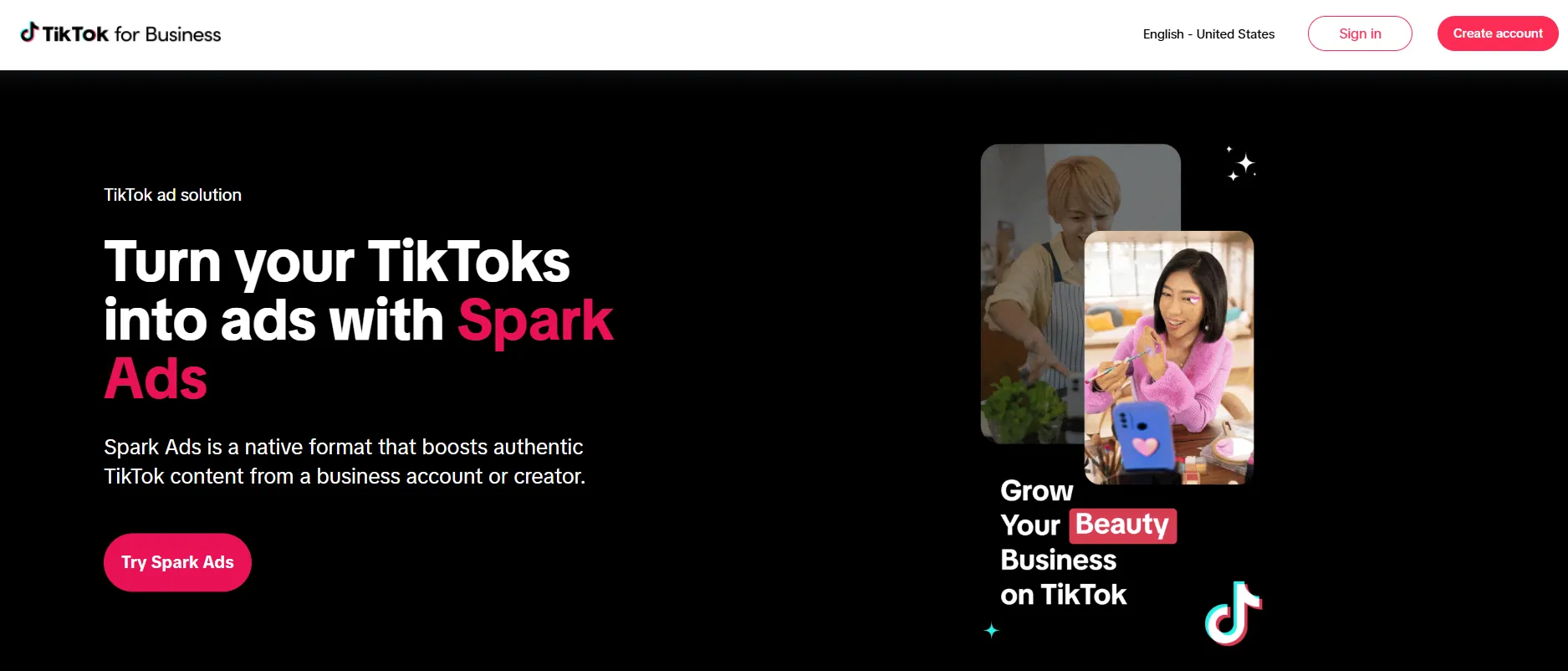
Spark Ads turn a real organic TikTok post — yours or a creator’s — into an ad, instead of uploading standalone creative.
Two ways in. Link your own business account and select from authorised identities. Or use a creator’s authorisation code.
How a creator generates the code, in the TikTok app: open the video, tap the three dots, tap the Ad settings icon, tap Generate.
TikTok’s published performance comparison against diversion in-feed ads: completion rate +30%, engagement rate +142%, conversion rate +43%, CPM −4%. That’s TikTok internal data from Q4 2020 to Q2 2021, so it’s dated — but the direction has held in my accounts.
Three things that catch people out. You can’t edit a post’s caption after authorising it as an ad. A private video becomes public once used in a campaign. And engagement stays attributed to the original organic post, which is a genuine benefit — the likes and comments accumulate on a real post that keeps living after the campaign stops.
Cap is 10,000 Spark Ads per account.
If you’re running creator content and not using Spark Ads, you’re leaving the format’s main advantage on the table.
Ad Formats Available in 2026
| Format | Self-serve? | Notes |
|---|---|---|
| Single video (In-Feed) | Yes | The default workhorse |
| Spark Ads | Yes | Boosted organic posts |
| Carousel Ads | Yes | Swipeable images, in-feed |
| Collection Ads | Yes | Video plus product gallery |
| Single image | Yes | Pangle and Global App Bundle only |
| Playable Ads | Yes | App promotion |
| Search Ads | Yes | Spark and Carousel Image |
| GMV Max | Yes | TikTok Shop |
| TopView | No | Reserved, creative pre-approval required |
| Top Feed | No | Reach & Frequency |
| TikTok Pulse | No | Reserved |
| Branded Mission | No | Also a campaign objective |
One major change to know about. Since July 2025, LIVE Shopping Ads, Product Shopping Ads and Video Shopping Ads can no longer be created when TikTok Shop is the destination. GMV Max is now the default and only supported campaign type for TikTok Shop Ads. Existing legacy campaigns keep running and show an “Upgrade now” prompt.
Video Shopping Ads still exist for catalog and website destinations. Only the Shop destination was retired.
Ad Review and Why Ads Get Rejected
Most ads are reviewed within 24 hours, though some take longer.
Editing creative, text, links or video, and editing the ad group’s targeting location. Changing your landing page does not trigger re-review — only changes to approved ads or ad groups do.
The most common rejection reasons:
- Prohibited or restricted industries
- Misleading claims, false information, or sensational content
- Intellectual property infringement
- Political, religious or culturally sensitive content
- Landing page problems — broken pages, language mismatch, missing privacy policy
- Requesting sensitive information in Lead Ads
- Video length outside the permitted window
TikTok provides One Click Appeal for rejected ads. Use it. Manual review overturns a meaningful share of automated rejections, and in my experience the appeal is worth the ninety seconds far more often than people assume.
Before you launch, check your landing page is mobile-optimised and loads fast. More of my rejections have come from landing pages than from creative.
💰 Worth checking before your first deposit
If you’re opening a brand-new advertiser account, check whether an acquisition incentive is live in your region first. The credit is tied to how you register, and registering through the wrong entry point forfeits it permanently.
What I Don’t Like About TikTok Ads Manager
Four years in, here’s what still annoys me.
Who Should Run TikTok Ads, Who Shouldn’t
One more. If you’re in a restricted or prohibited category, check TikTok’s advertising policies before you build anything. Getting an account banned for a policy you didn’t read costs far more than the campaign was worth.
TikTok Ads Manager Related FAQs
What is TikTok Ads Manager?
The self-serve platform for creating, targeting, running and measuring paid campaigns on TikTok. Free to use — you pay only for ad delivery.
Where is TikTok Ads Manager?
At ads.tiktok.com. Your ads login is separate from your personal TikTok app account.
How do I create a TikTok ads account?
Sign up at ads.tiktok.com with an email or phone, verify it, complete the business form, agree to terms, then add billing. You need a working business website — a social profile won’t be approved.
Why can’t I change my TikTok ad account currency or time zone?
TikTok fixes time zone, region, business name and currency at account creation. Changing them requires contacting support, and often means opening a new account.
What’s the minimum budget for TikTok ads?
Campaign daily and lifetime budgets must exceed $50. Ad group daily must exceed $20, and ad group lifetime is $20 multiplied by the number of days.
How long does TikTok ad approval take?
Most ads are reviewed within 24 hours. Account review is also typically under 24 hours, and business verification can take up to two business days.
What’s the difference between TikTok Ads Manager and Business Center?
Ads Manager is where you build campaigns. Business Center sits above it and manages multiple ad accounts, users and payment methods. Single-brand advertisers often don’t need Business Center.
Should I use Smart+ or manual campaigns?
Manual while you’re learning what converts, because you can see which placement and audience produced what. Smart+ once the offer is validated and you want scale. Smart+ removes manual placement selection.
Is TikTok Symphony free?
TikTok describes Symphony Creative Studio as a free creation tool for logged-in TikTok for Business accounts. Usage limits aren’t published. All outputs are automatically labelled as AI-generated.
Can new advertisers still get free TikTok ad credits?
Yes, up to $6,000, though eligibility is narrower than most pages claim and credits are issued after billed spend. I’ve broken down the real terms in my TikTok ad credit guide.

Aliakbar Fakhri
The founder of AFFINCO
Do These Two Things First
Everything above matters. Two things matter before the rest.
Get your four permanent settings right — time zone, region, business name, currency. And verify your pixel three ways before you spend a dollar.
Every expensive TikTok mistake I’ve made traces back to one of those two. Not creative, not targeting, not bidding. Setup.
If you’re opening a new account this month, check the current advertiser offer before you fund it — the live TikTok for Business deals are here. And if you’d rather have someone run this properly, book a 30-minute call.
Set it up once. Set it up right.
I’ve run affiliate and SEO properties since 2014 — it started with a banned AdSense account and a dorm-room blog in India. Today that’s 29 domains, a team of 40, and a newsletter 69,572 people read.
I’ve been a Helium 10 partner three years running, an official TikTok for Business partner, and a media partner at Affiliate World, SiGMA and AI Expo Europe. I wrote The Affiliate Hustle.
Everything I review runs on my own properties for at least 30 days before it gets recommended on yours. Still allergic to fake income screenshots.
Affiliate Disclosure: This post may contain some affiliate links, which means we may receive a commission if you purchase something that we recommend at no additional cost for you (none whatsoever!)
Similar Posts


About the author:
Aliakbar Fakhri
Founder & CEO of AFFiNCO
I’m Ali, Founder of AFFiNCO, with 15+ years in SEO, paid ads and affiliate marketing.
I run 65+ sites of my own, so every strategy on this blog was tested on my money before it reached you. No guru fluff. Just what actually works.