
Grok Bot Review 2026: Pricing, Features, Security and Limits

By :
Ali
October 8, 2026
Content Creators, Researchers and Developers
Grok Bot is best for users who want a conversational AI assistant with real-time information, creative brainstorming, and a more casual chat experience.
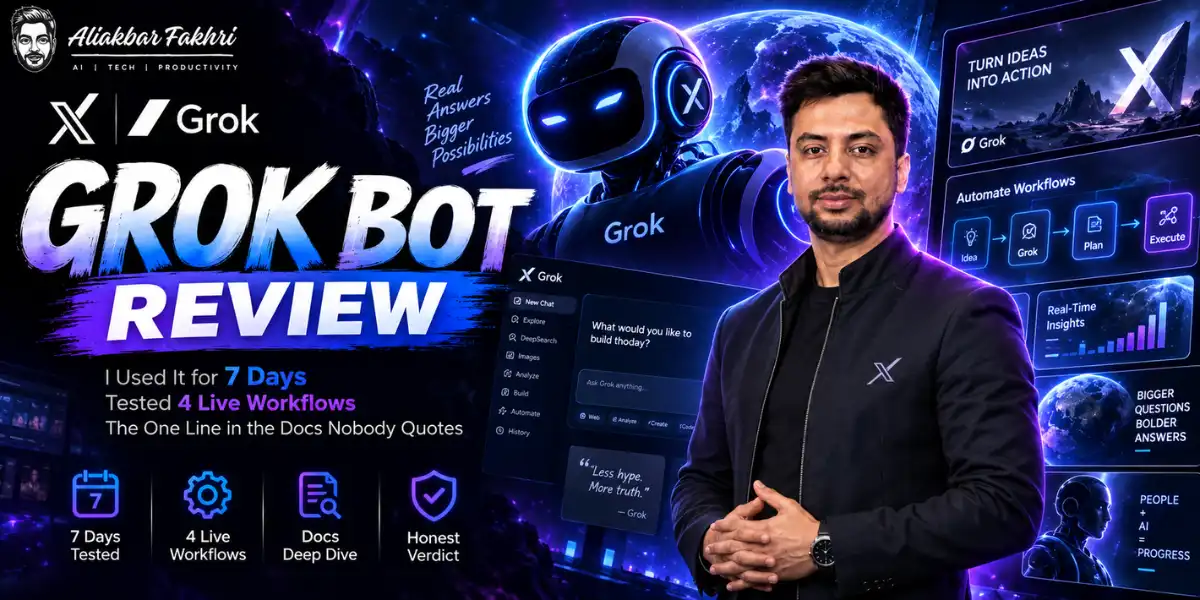
Most Grok Bot reviews were written in launch week, on a beta, by people who ran three test prompts.
I ran it for seven days against live agency work. Instagram, inbox, newsletter, affiliate applications.
Four days of that week I didn’t open Claude once. That surprised me, because I’ve paid for Claude every month since 2024.

But the headline everyone repeated is already wrong, and there’s a sentence in xAI’s own documentation that changes how you should set this up. Both below.
✅ Bottom Line Up Front
Who Actually Built Grok Bot
This confused me for a week, so let me settle it.
Grok Bot is xAI’s product. People also write it as one word, Grokbot, and search for it as xAI Grok Bot. Same thing.
It runs on Cursor’s infrastructure, because SpaceX acquired Anysphere — Cursor’s parent — in a $60 billion all-stock deal. Reporting places the close in mid-2026.
So when people say “it’s Musk’s” and “it’s Cursor’s” and argue about it, they’re both right and both wrong. One company owns both now.
What it is not: Bugbot. Cursor ships a separate product called Bugbot that reviews pull requests. Different tool, different job, no relation to this. I mention it because the two names get fused constantly in comment sections.
The architecture, in one paragraph
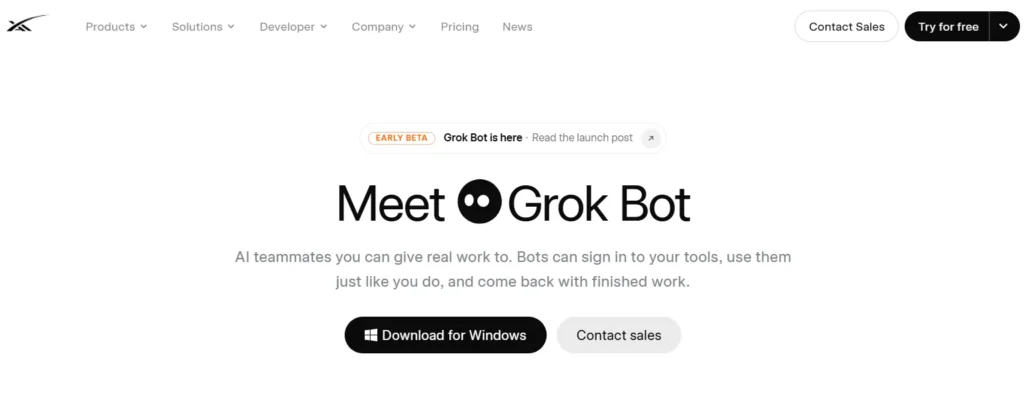
This is a computer use agent, not a chatbot with plugins bolted on. That distinction decides everything below.
Each account gets one persistent Linux virtual machine in the cloud. Your AI agents share it, with a browser, a filesystem and a terminal on that machine.
They sign into your tools the way you do — through the interface, with your session. xAI’s framing is that bots “sign in and work across apps, tools, and websites, including platforms with no clean API or MCP.”
That last clause is the whole product. Every automation tool I’ve built in the last three years died at the same wall: the platform had no API, or the API cost more than the work.
What ships versus what’s promised
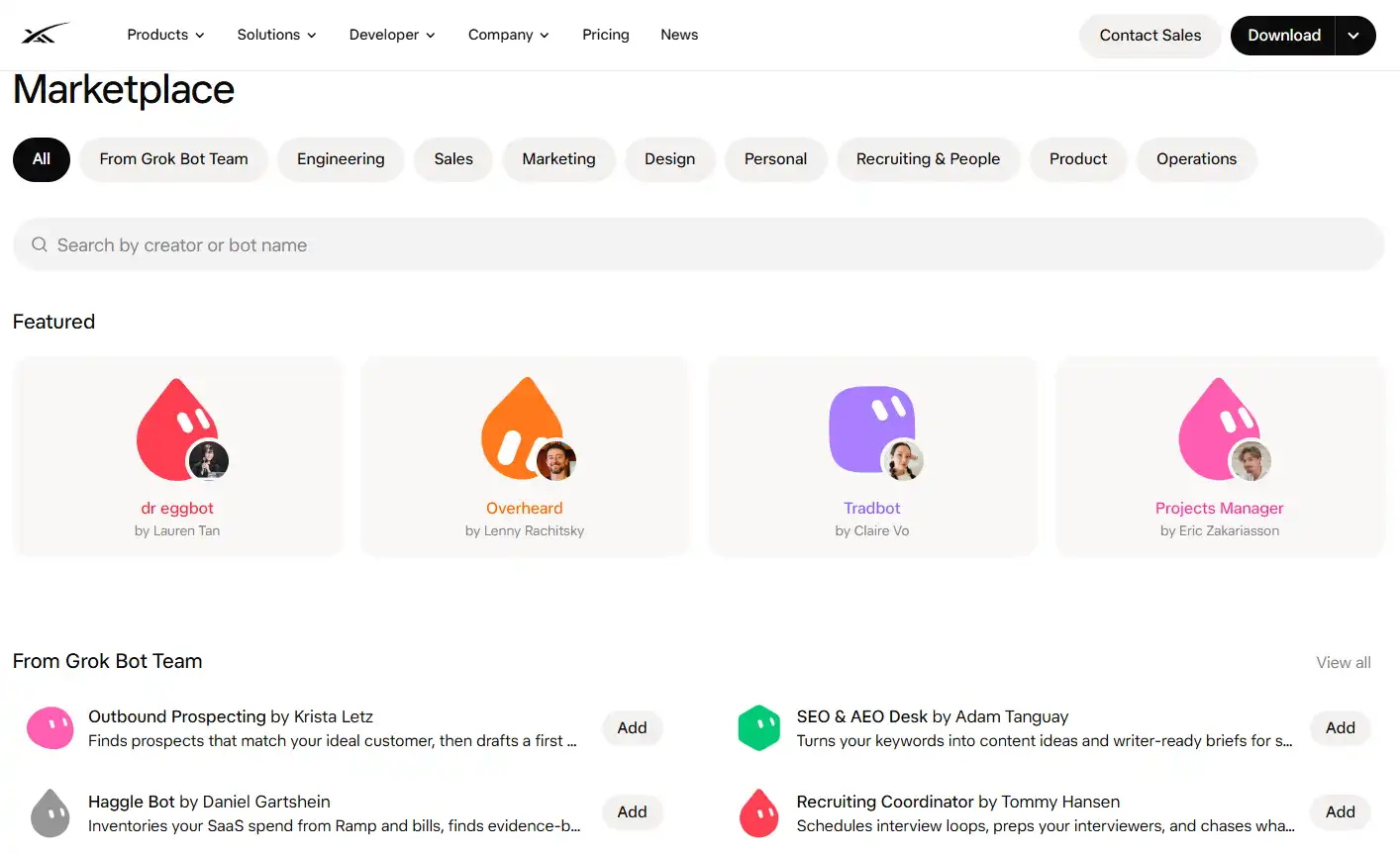
Grok Bot launched with roughly 220 plugins covering Google Workspace, Slack, Microsoft 365, Salesforce, Notion, GitHub and Jira. Dedicated HR systems and ITSM tools were absent at launch.
When a plugin doesn’t exist, it drives the browser instead. That’s the fallback, and it’s the reason the plugin gaps matter less than they look.
Three features do real work:
An X connector arrived 29 August, adding post search, timeline reads and mention monitoring.
What It Costs, and the $200 Correction
Here’s the unflattering part first, and I’m putting it in section two on purpose.
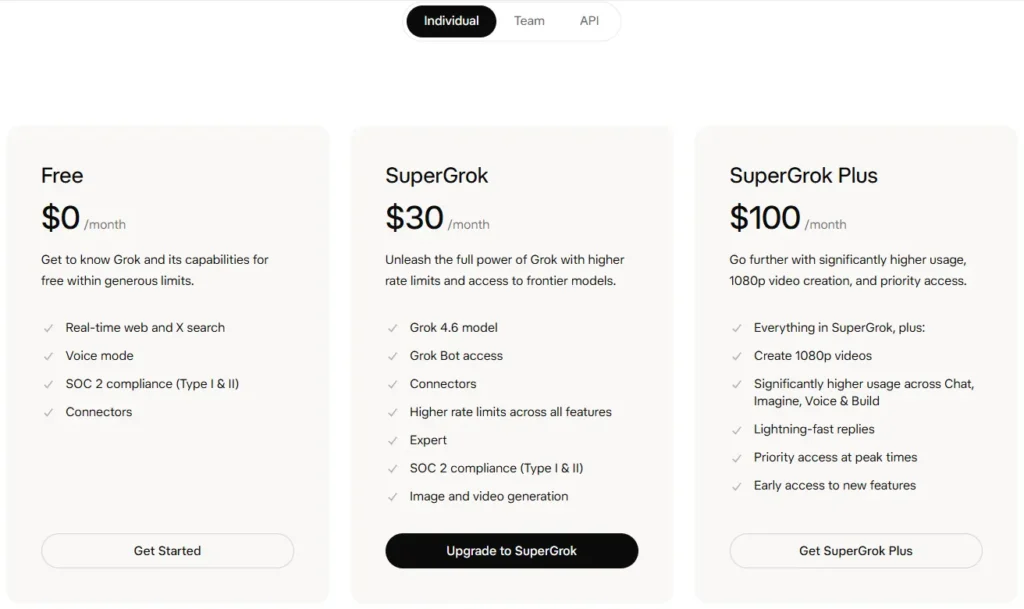
Grok Bot pricing is the single most misreported thing about this product.
Tech With Tim published the most-watched critical review in late August.
It is now twenty bucks a month. He recorded before the 21 August expansion. His analysis was correct on the day and is stale now.
The current routes in
| Plan | Price | Grok Bot included |
|---|---|---|
| Cursor Hobby | Free | No |
| Cursor Pro | $20/mo | Yes — cheapest route |
| Cursor Pro+ | ~$60/mo | Yes, 3× Pro agent limits |
| Cursor Ultra | $200/mo | Yes, 20× Pro agent limits |
| Cursor Teams Standard | $40/user/mo | Yes |
| Cursor Teams Premium | $120/user/mo | Yes, plus SSO |
| SuperGrok | $30/mo | Yes |
| SuperGrok Plus | $100/mo | Yes |
| SuperGrok Heavy | ~$300/mo | Yes |
Here’s a wrinkle worth knowing before you pay. xAI’s own pages disagree with each other.
The launch announcement lists “SuperGrok (all tiers), Cursor Pro (all tiers).” The Grok Bot FAQ still lists only SuperGrok Plus, Heavy, Cursor Pro+, Ultra and Teams.
Cursor’s pricing page sides with the announcement and shows Grok Bot access on Pro. I subscribed through Cursor Pro and it worked. Check the page on the day you buy, because the documentation is lagging the rollout.
Every plan includes a weekly usage allowance. Neither xAI nor Cursor publishes what that allowance is in units.
That’s not a small omission. Launch-week reports were brutal about how fast it burns. One operator running six agents wrote: “I used about 42% of my weekly allowance on day one.” Another measured roughly 100 basic chat completions plus one ten-minute script consuming 5% of a week.
I burned 34% of my weekly allowance in the first 12 days running four workflows. Budget for the ceiling, not the sticker price.
The model underneath
Grok 4.6 shipped 12 August, one day after Grok Bot. It carries a 500k context window and four reasoning levels: low, medium, high and xhigh.
API pricing is $2 per million input tokens and $6 per million output under 200k context. Above 200k it doubles to $4 and $12. Cached tokens cost 75% less.
For reference, that’s competitive. Lenny’s Newsletter placed Grok 4.6 “alongside GPT-5.6 Sol” in blind evaluations.
Workflow 1: Instagram, End to End

All four Grok Bot use cases below ran on live work, not a sandbox. This is the one that made me stop testing and start using it.
I gave one bot my sitemap and asked it to read the site. Not a summary of the site — the actual pages, through the browser.
Then I asked for an Instagram strategy. It came back with a content pillar breakdown, a posting cadence and a visual direction.
Fine. Every model does that.
Then it made the images. That’s the part Claude cannot do.
Grok Imagine is in the box
xAI’s image model is grok-imagine-image-2.0. The bot can call it, and the API pricing is public:
| Model | Input | Output |
|---|---|---|
| grok-imagine-image (budget) | $0.002/image | $0.02/image |
| grok-imagine-image-quality | $0.01/image | $0.05–$0.07/image |
| grok-imagine-image-2.0 | $0.01/image | $0.04–$0.08/image |
| grok-imagine-video-1.5 | $0.01/image | $0.08–$0.25 per second |
An 28 August update pushed reference image support from three to five, and added 21:9 and 5:2 aspect ratios.
Five reference images is why the mascot stayed consistent across a full set. Three wasn’t enough in my testing. 25 mascot variations later, I had a character that survived the whole grid.
Search demand check. “Grok imagine” pulls 60,500 US searches a month at a keyword difficulty of 8. That’s the softest high-volume term I’ve seen in AI tooling this year. If you publish anything about this stack, that’s your door in.
Scheduling through Zernio
Generated images sitting in a folder aren’t a system. I pushed them out through Zernio, a social media API covering 15+ platforms.
Zernio’s pricing is per connected account, which suits an agency:
| Accounts | Price |
|---|---|
| First 2 | Free |
| 3–10 | $6/account/mo |
| 11–100 | $3/account/mo |
| 101–2,000 | $1/account/mo |
The bot writes to the API. I approve the queue. Nothing publishes without me clicking, because Grok Bot pauses before publishing by design.

That pause is documented, and I’ll come back to it.
Workflow 2: The Inbox
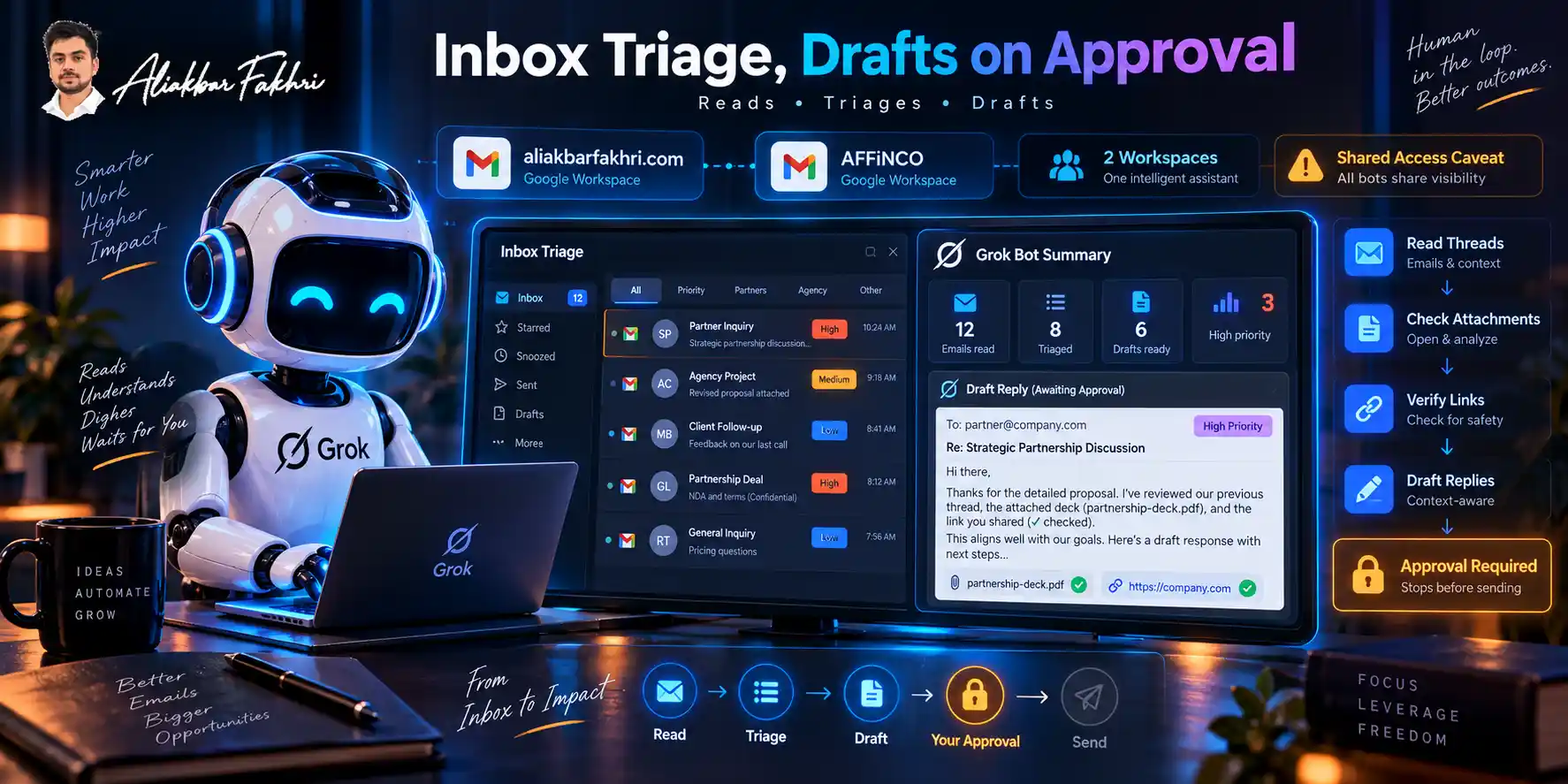
I connected the Google Workspace accounts for aliakbarfakhri.com and AFFiNCO.
The bot reads, triages and drafts. It does not send.
Why “does not send” is the feature
xAI’s documentation lists the action categories that stop for approval. I’m quoting the list because most reviews skip it:
So an agent that “handles your email” doesn’t actually mail anyone on your behalf until you say so. Good. My inbox has partner negotiations in it.
You can set rules to Always Allow and remove that friction. I have not, and I’d think hard before you do.
What it does better than my old setup
I ran inbox triage through Claude and through ChatGPT before this. Both worked. Both stopped at the draft.
The difference is that Grok Bot is in Gmail. It reads the thread history, opens the attachment, checks the link, and comes back with a draft that references what was in the attachment.
One reviewer with multiple accounts flagged the same thing — most agents assume you have one Gmail and one Slack. Grok Bot connects several to one bot.
For anyone running an agency and a personal brand off separate Workspaces, that’s the whole ballgame.
One honest caveat. Every bot on my account can see those inbox sessions. That’s the shared computer, and it’s a real constraint. Section eight.
Workflow 3: Newsletter Research to beehiiv
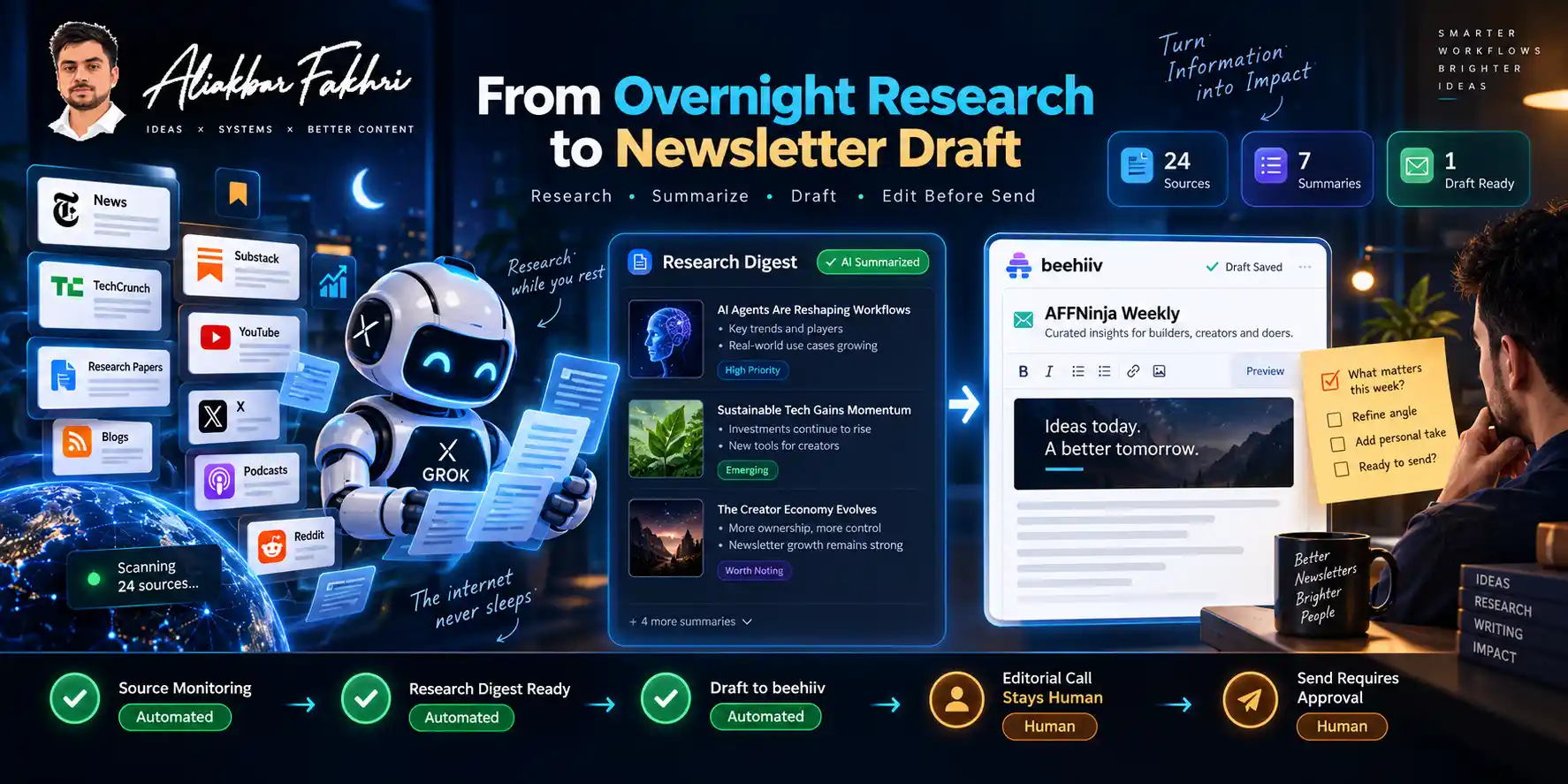
I’ve run the AFFNinja newsletter on beehiiv for two years.
The job has three parts: find what’s worth covering, write it, ship it. The middle part was never the bottleneck.
Now a bot does the first part overnight and drafts the second. It pushes to beehiiv through the API, and I edit in beehiiv before send.
What I automated and what I refused to
| Step | Automated | Why |
|---|---|---|
| Source monitoring | Yes | Rule-bound, high volume |
| First-pass summarisation | Yes | Verifiable against source |
| Draft assembly | Yes | Then heavily edited |
| What makes the issue | No | That’s the whole job |
| Send | No | My name is on it |
The editorial call stays mine. A model will happily fill a newsletter with five competent items that nobody needed. Deciding which one thing matters this week is not a volume problem.
If you’re picking a newsletter platform for this kind of automation, the API is the thing to check first. I wrote a full comparison of beehiiv versus Substack covering exactly that gap.
Workflow 4: Affiliate Applications — Read the Warning
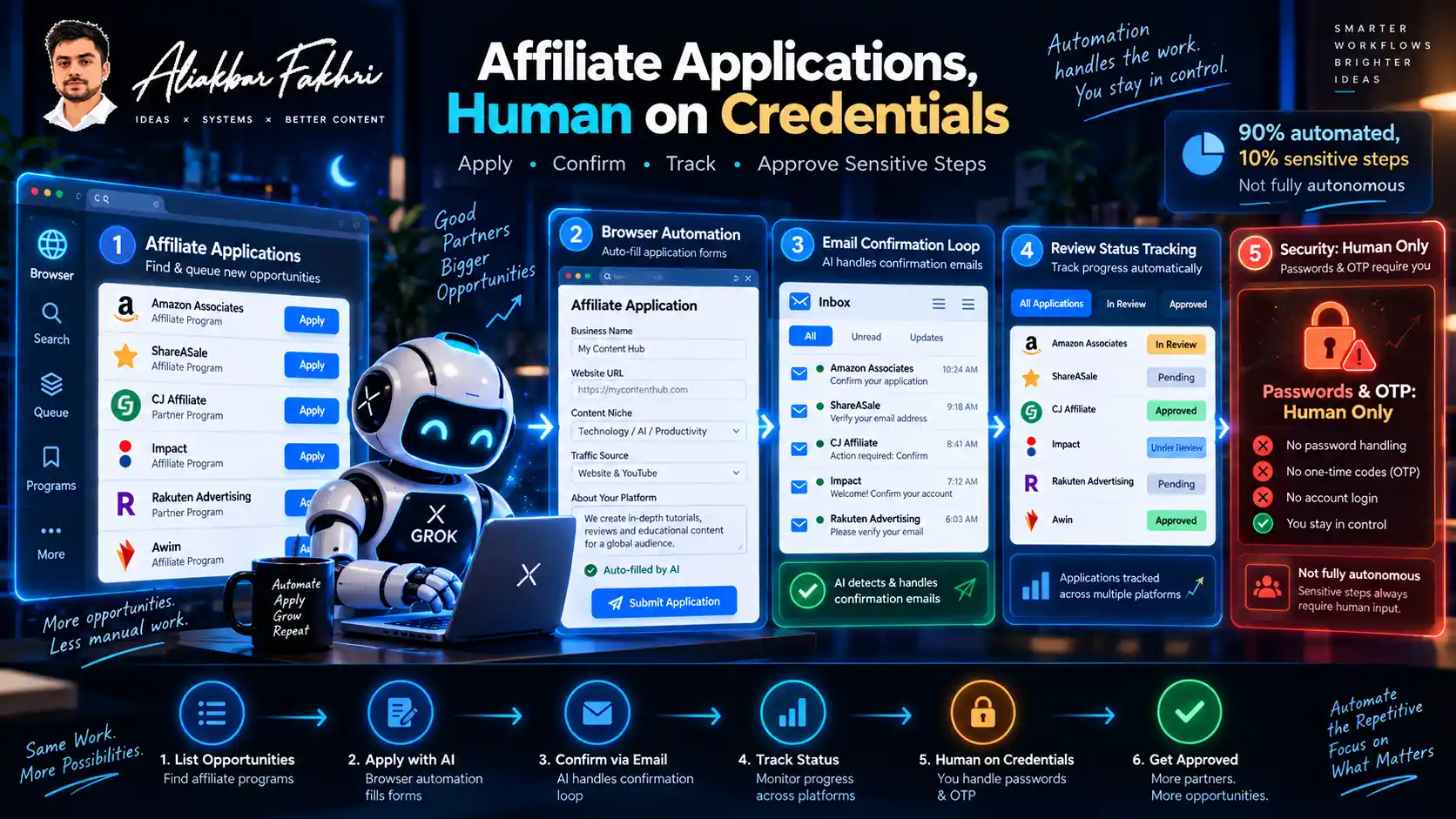
This is the workflow people will want, so I want to be careful about how I describe it.
I gave a bot a list of programmes in one niche, plus my business details. It worked through the list in the browser, filling applications the way I would.
It handled the email confirmation loop. It tracked which applications sat in review and told me when they cleared.
Volume: 158 applications across 2 days.
What it did not do
It did not handle my passwords. It cannot, by design.
xAI’s documentation is explicit: “Do not send a password or one-time code in ordinary chat.” The flow is that you take control of the screen, enter the credential, and hand control back.
So the honest version is that it did the tedious 90% and pulled me in for the sensitive 10%. That’s still a large saving. It’s not “fully autonomous,” and anyone telling you it is hasn’t read the docs.
Now the warning, because I’d rather you keep your accounts
Most affiliate networks require applications to be submitted by the applicant. Read the terms of any programme before you point an agent at it.
Networks look for bulk signup patterns. I’ve watched publishers lose portfolios over less. A bot filling seventy forms from one IP in two days is exactly the pattern fraud teams are built to catch.
If you do this, do it the way I’d defend in a compliance call:
I’m not going to pretend this is risk-free because it made my week easier. The tool is fine. The pattern is what gets flagged.
Why It Feels Faster Than What I Was Using
I want to separate what I measured from what I felt, because they’re different things.
Less flexing, more working
When I run Claude Code, I see everything. The research, the sub-agents, the reasoning, the file reads. It’s a live feed of the work.
Grok Bot shows me almost none of that. It goes quiet and comes back with the output.
That’s a genuinely different experience, and for four days it felt like a better one. Less performance, more delivery.
But here’s what that quiet actually costs you. Grok Bot has no per-action audit trail yet. The documentation says an audit view “is coming.” Right now you get chat transcripts and a usage dashboard.
So “less flexing” and “less auditability” are the same property described two ways. For my Instagram grid, I don’t care. For anything a client pays for, I care a lot.
On the “faster than Claude” question
I’m not going to tell you Grok Bot beats Claude, because they aren’t the same product.
Claude Code is a coding agent that shows its work. Grok Bot is a computer-use agent that hides it.
I didn’t switch models. I switched modes, for jobs that were always a bad fit for a terminal.
Worth knowing: Musk said under oath in April that Anthropic ranked “first among AI companies.” In July he said Grok “had fallen short, particularly at coding.” Both statements predate Grok 4.6.
I still run Claude for code. I run Grok Bot for browsers. That’s the honest split.
The Shared Computer Problem

This is the section I’d want to read before subscribing, and almost nobody writes it.
Every bot on your account shares one cloud computer. One filesystem, one browser session store.
Every login you’ve given any of them sits on that machine.
xAI says it plainly:
And more plainly still:
What that means in practice
I wanted my inbox bot separated from my affiliate application bot. You cannot do that. They’re roommates.
One operator running six agents tried giving each a separate Chrome profile. The profiles reset daily.
Sharing a bot doesn’t help either. The docs warn that “Sharing a Bot is not a security boundary.” They tell you not to put secrets, customer data or internal URLs in one you share.
The blast radius is real, and it has already blown
Between 20 and 23 August, users reported the shared computer entering a stuck state — which disabled every bot on the account at once. A Cursor staff member confirmed it. One user reported total access loss across three days.
There’s also history worth knowing. Cursor’s Grok Build tool was previously found uploading entire Git repositories, committed secrets included.
How I set it up after reading all that
- One account per business entity, not one account with many bots
- Read-only tasks and drafts first, per xAI’s own least-privilege guidance
- Sign out of any service the bot no longer needs
- Revoke connector authorisation at the source, not just in the app
- Nothing touching payment rails
- Always Allow stays off
The infrastructure carries SOC 2 Type II and GDPR alignment through Cursor, with annual penetration testing. ISO 27001 and ISO 42001 are being pursued, not held.
Training opt-out follows your Cursor account settings, not a Grok Bot toggle. Check it there.
What I Do Not Like
Seven days is enough to find the edges. Here they are, specifically.
Grok Bot vs Claude Code vs Genspark
I run all three. They are not competitors, and treating them as one shortlist is how people waste money.
| Grok Bot | Claude Code | Genspark | |
|---|---|---|---|
| Best at | Browser work, no-API tools | Code, repos, terminals | Research, decks, docs |
| Shows its work | Barely | Completely | Partially |
| Own cloud computer | Yes | No | Yes |
| Image generation | Yes, Grok Imagine | No | Yes |
| Entry price | $20/mo (Cursor Pro) | $20/mo (Claude Pro) | Free tier |
| Model choice | xAI only | Anthropic only | Multiple |
| Audit trail | Not yet | Full transcript | Partial |
Model lock-in is the real trade. With Grok Bot, you get xAI models. You can’t swap them. That’s the price of the integration.
Where Genspark fits
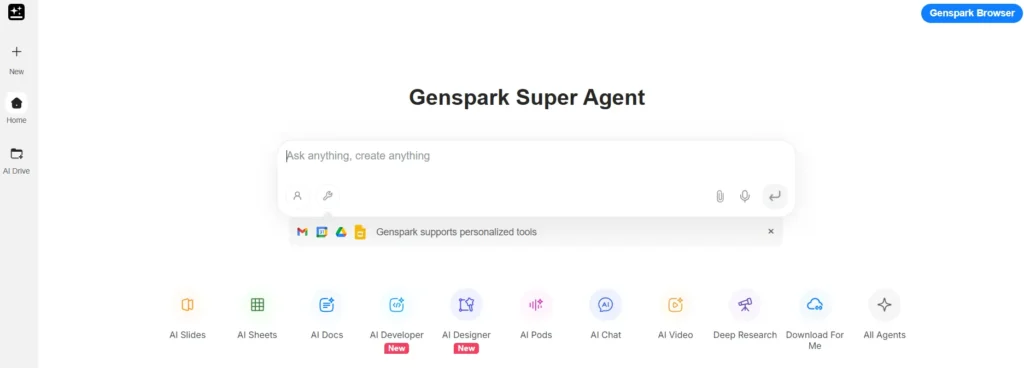
Genspark is the one I reach for when the output is a document rather than an action.
Current pricing is Plus at $24.99/month (about $19.99 billed annually, from 10,000 credits) and Pro at $249.99 (about $199.99 annually, from 125,000 credits). The free tier refreshes roughly 100 credits daily.
Two things to know before you buy credits. They expire monthly and don’t roll over. And they’re deducted even on failed tasks.
Genspark calls its saved workflows reusable skills — they publicly moved away from node-based workflow graphs. If you’ve seen older articles describing a visual workflow builder, that’s out of date.
Genspark for research and decks. Grok Bot for anything that requires clicking. Claude Code for anything with a repository in it.

Three tools, three jobs. I’d drop one before I’d merge them.
Who Should Not Buy This
I turn readers away in every review, and this one has a longer list than most.
If you’re shopping for an AI agent for business use rather than a Grok agent specifically, price the alternatives first. Lock-in to one model family is a real cost.
FAQ
Is Grok Bot free?
No. Access requires a paid plan. The cheapest documented route is Cursor Pro at $20/month, with SuperGrok at $30. A seven-day free trial has been available on some plans.
Who makes Grok Bot?
xAI. It runs on Cursor’s infrastructure following SpaceX’s $60 billion acquisition of Cursor’s parent company, Anysphere. It is not the same product as Cursor’s Bugbot.
What is the difference between Grok Bot and Grok?
Grok is the chat assistant. Grok Bot gives you persistent agents with their own cloud computer that keep working after you close your laptop.
Does Grok Bot work on Android?
The Google Play listing is live as of 1 September 2026, though xAI’s FAQ still lists Android as unsupported. macOS, Windows and iOS 18+ are confirmed.
Can Grok Bot generate images?
Yes, through Grok Imagine. The current model is grok-imagine-image-2.0, supporting up to five reference images and aspect ratios up to 21:9.
How much usage do you get?
Unpublished. Every plan includes a weekly allowance, but neither xAI nor Cursor states it numerically. Early reports describe 42% of a week consumed on day one under six-agent load.
Is Grok Bot safe to give my logins?
It never handles passwords or one-time codes in chat — you take control for those. But all your bots share one computer and every session on it, and xAI explicitly says not to treat separate bots as a security boundary.
Can it send emails or publish posts by itself?
Not by default. Sending, publishing, purchasing, deleting, changing permissions and accepting legal terms all pause for approval. You can override that with Always Allow.
Is Grok Bot better than Claude?
Different jobs. Grok Bot drives a browser; Claude Code works in repositories. Grok 4.6 was rated alongside GPT-5.6 Sol in one reviewer’s blind evaluations, but Musk himself said in July that Grok had fallen short at coding.
What can it not do yet?
Dry runs, per-action audit logs, manual context compaction, and reliable connections to every listed service. All documented gaps as of September 2026.

Aliakbar Fakhri
The founder of AFFINCO
The Actual Verdict
Grok Bot is not the best model. It’s the first agent I’ve used that finishes the browser work instead of describing it.
That’s a narrow win. It also happens to be the thing that was eating my week.
Twenty dollars buys you a month to find out whether your bottleneck is the same as mine. Spend it before the price of being wrong goes up.
Read the security page first. Then start with read-only.
Evidence beats hype. Every time.
Affiliate Disclosure: This post may contain some affiliate links, which means we may receive a commission if you purchase something that we recommend at no additional cost for you (none whatsoever!)
Similar Posts


About the author:
Aliakbar Fakhri
Founder & CEO of AFFiNCO
I’m Ali, Founder of AFFiNCO, with 15+ years in SEO, paid ads and affiliate marketing.
I run 65+ sites of my own, so every strategy on this blog was tested on my money before it reached you. No guru fluff. Just what actually works.