
Grok Bot for Agencies: 4 Workflows That Save 35 Hours a Week

By :
aliakbar
September 13, 2026
Every three hours, something checks all my sites for new articles.
When it finds one, it reads the piece, works out the angle, writes the social copy for each platform, and pushes it live. Nobody clicks anything. I usually find out it happened when I see the post.
That loop has been running since August. It’s Grok Bot, and it cost me twenty dollars to start.
I run AFFiNCO — 46 people across six countries, 385 websites, more than 60 enterprise clients. So this isn’t a review of a demo. It’s four workflows that replaced real hours, plus one I built, tested, and then switched off on purpose.

Here’s what actually earns its keep on an agency stack — and what I refuse to recommend.
✅ Bottom Line Up Front
Why Agencies Specifically
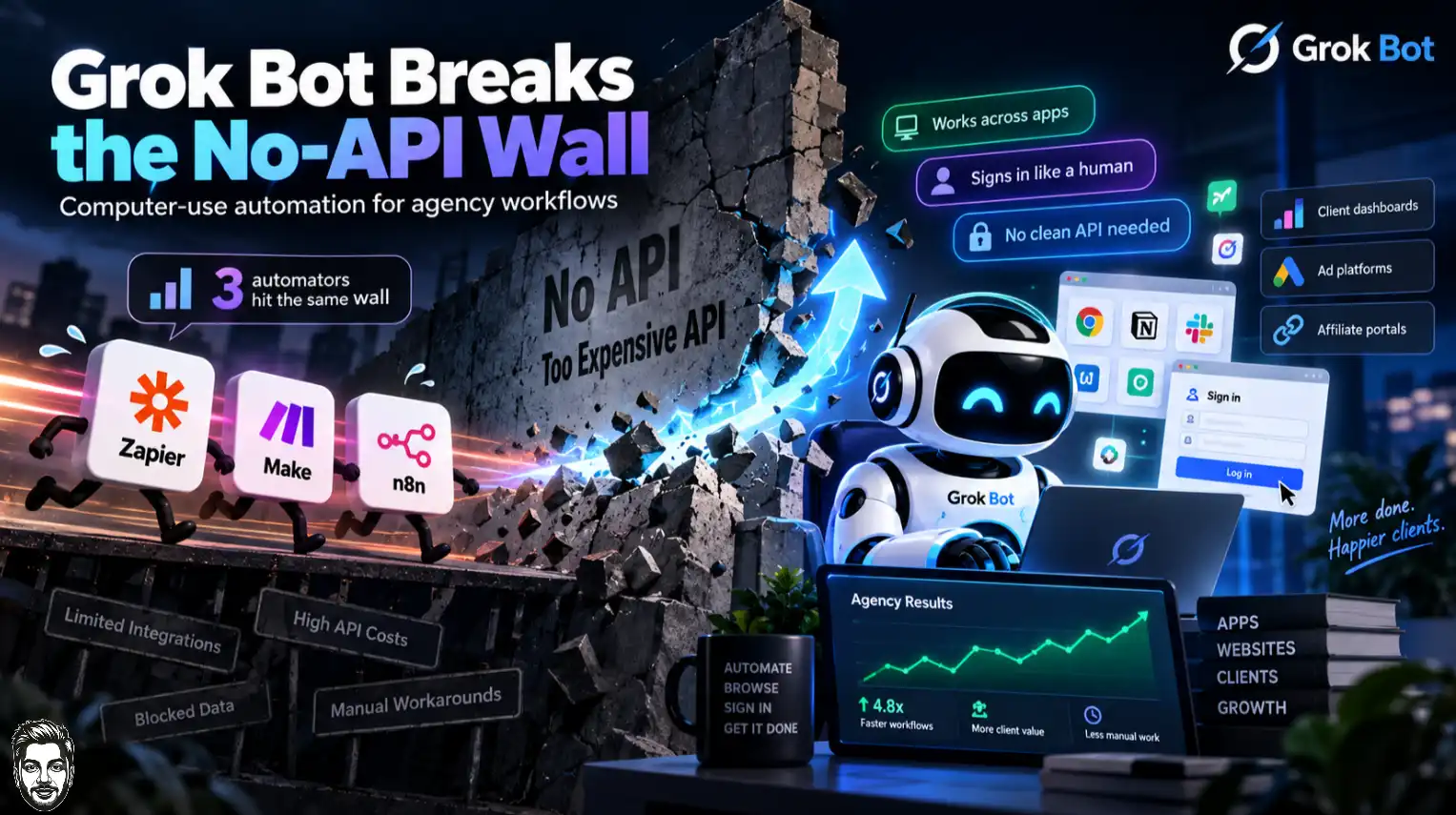
I’ve built automation on Zapier, on Make, and on n8n. All three died at the same wall.
The platform had no API, or the API cost more than the work.
That’s most of an agency’s day. Client dashboards with no export. Ad platforms that gate their API behind a spend threshold.
Affiliate networks with a login and nothing else. Portals built in 2014 by someone who has since left the company.
xAI frames it this way. Bots “sign in and work across apps, tools, and websites, including platforms with no clean API or MCP.”
That last clause is the whole product for us. Everything else in this article follows from it.
This is what people mean by a computer use agent — the machine works the interface instead of calling an endpoint.
Most AI agents for agencies still can’t do that. If you’re building an AI agency, that gap is the sales conversation.
The architecture, briefly
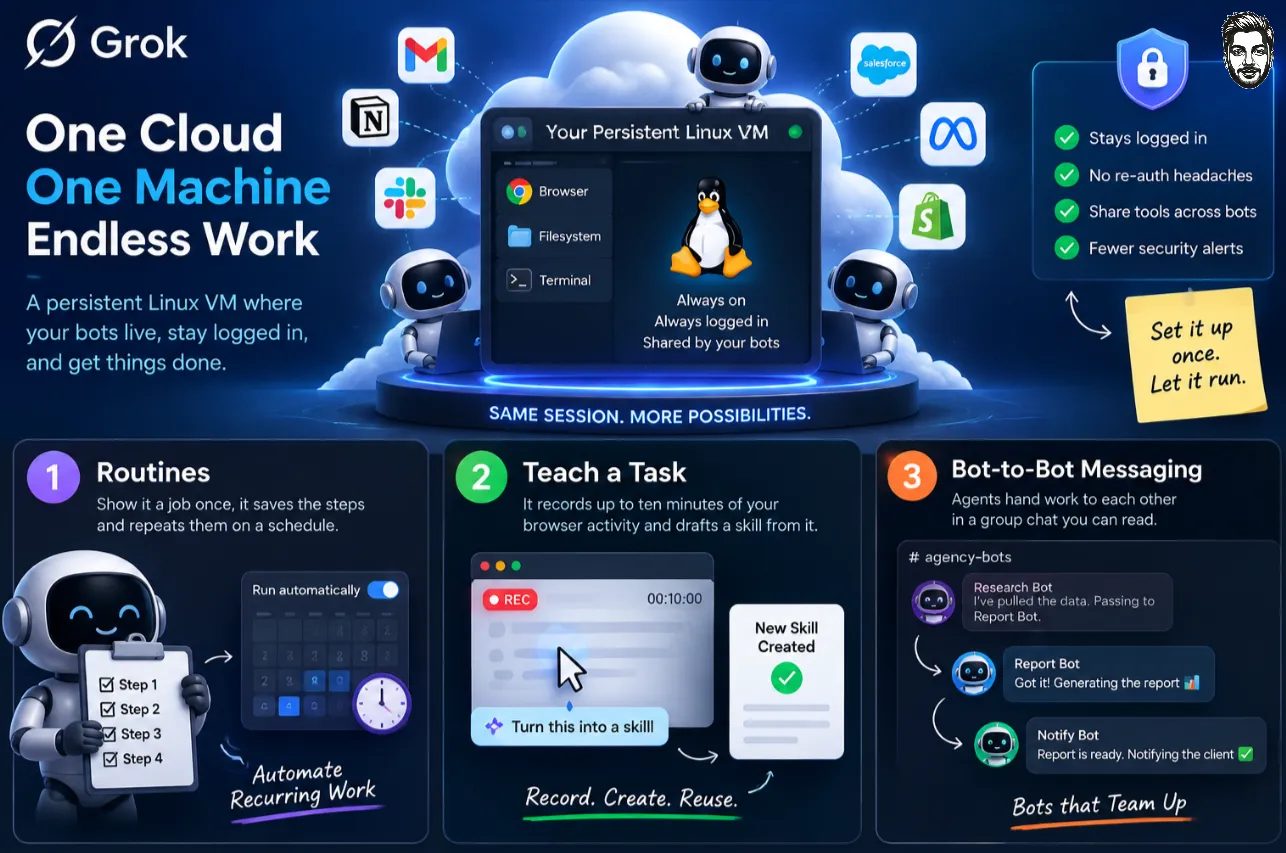
Each account gets one persistent Linux virtual machine in the cloud. Your bots share it — browser, filesystem, terminal.
They stay logged in. That matters more than it sounds.
A session that survives means the bot isn’t re-authenticating into a client portal at 3am and tripping a security alert.
It also means several bots can share one set of client tools without you wiring anything twice.
Three features do the actual work:
One correction before we go further, because I keep seeing it repeated. The heavy lifting happens on their machine, not yours. Your laptop is just a client. You do not need a fast computer to run this — that’s rather the point of a cloud agent. The desktop app is a window, not an engine.
Workflow 1: Social Cross-Posting on a 3-Hour Loop
This is the one that earns its keep every single day.
What it does: every three hours, a bot checks my sites for newly published articles. When it finds one, it reads the full piece, decides the angle per platform, writes the copy, and publishes through an API.
What it does not do: post the same sentence eight times with a link stuck on the end. That’s what a plugin does, and it’s why most automated social feeds read like a hostage note.
The build, in plain terms
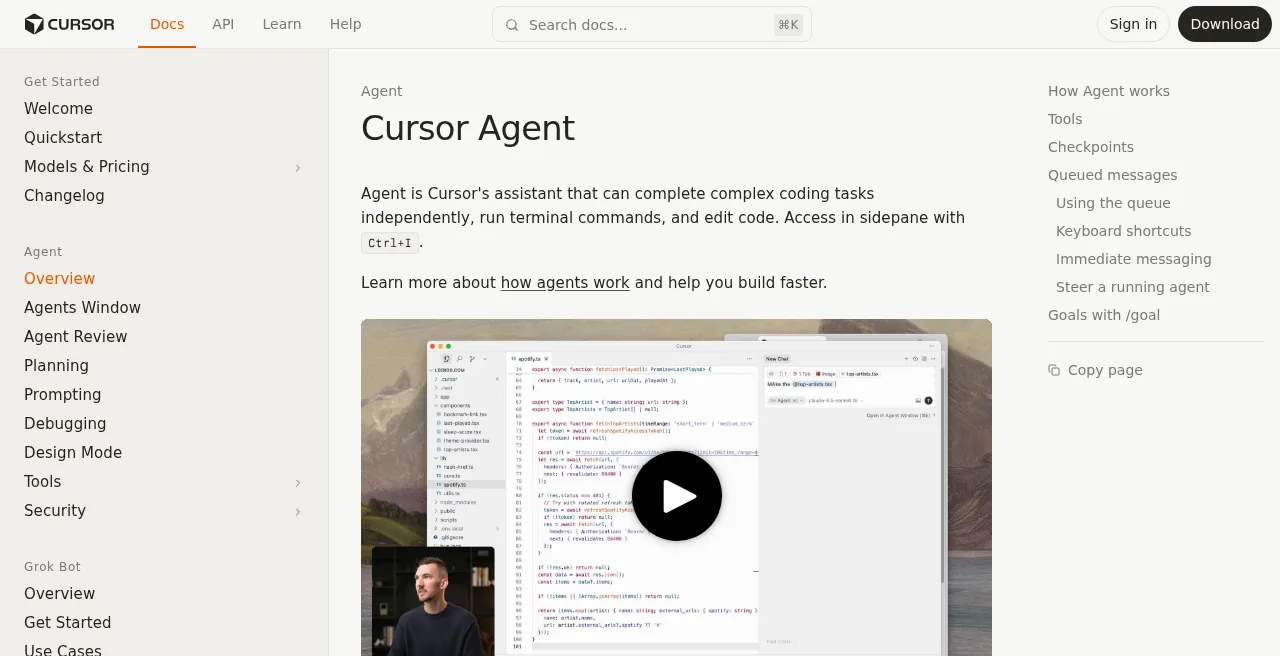
Three parts.
- Part one: the check. A routine, set to every three hours.
The bot opens the sites, looks at what’s new since the last run, and stops if nothing’s changed.
Most runs do nothing, which is fine — a run that finds nothing costs almost nothing.
- Part two: the thinking. This is where it stops being a plugin. It reads the article, not the title.
Then it works out what actually makes a good post on X versus LinkedIn versus a Facebook page, because those are three different rooms.
I gave it my rules once. No exclamation marks, no “excited to share,” lead with the number rather than the headline.
It kept them.
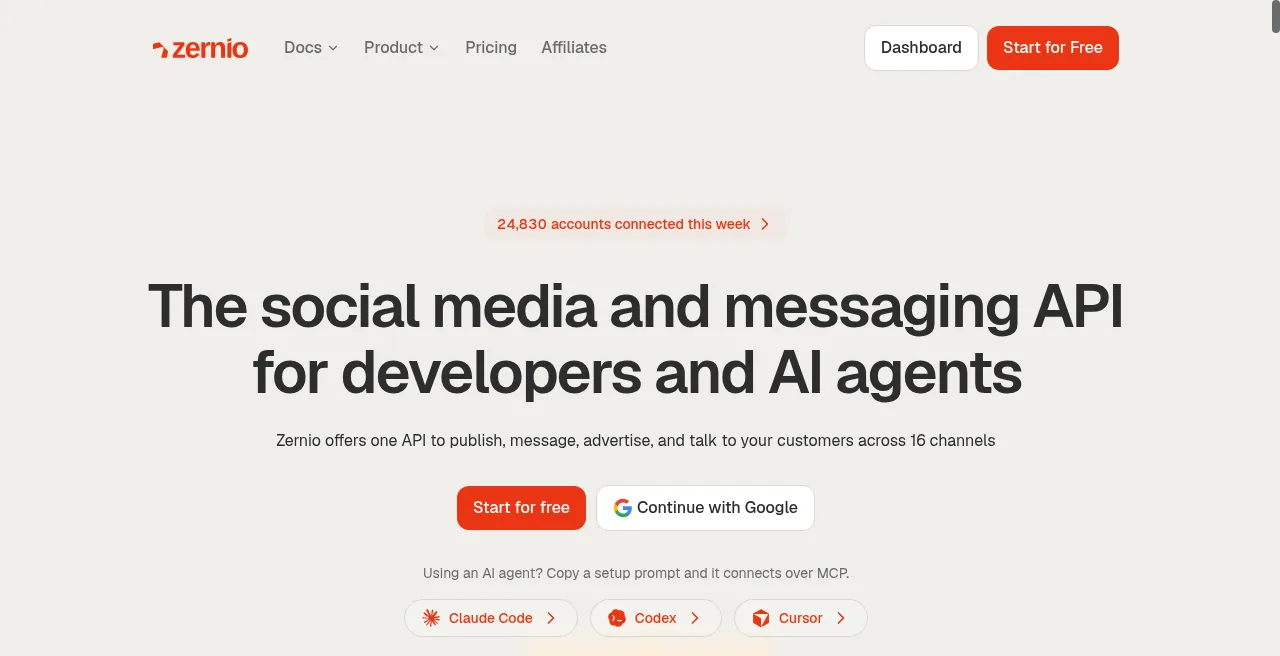
It pushes to Zernio, a social media API covering 12 platforms — X, Instagram, TikTok, LinkedIn, Facebook, YouTube, Threads, Reddit, Pinterest, Bluesky, Snapchat and Google Business.
Zernio prices per connected account, which suits an agency shape:
| Connected accounts | Price |
|---|---|
| First 2 | Free |
| 3–10 | $6/account/month |
| 11–100 | $3/account/month |
| 101+ | $1/account/month |
Every account gets unlimited posts, scheduling, analytics, DM read and send, comment replies and webhooks. No per-platform surcharge.
At 100 client accounts that’s around $300 a month for the publishing layer. Compare that to per-seat social tools and the maths stops being close.
The honest part
Nothing publishes without approval on my setup.
Grok Bot pauses before publishing by design — it sits on xAI’s approval-required list, alongside sending, purchasing and deleting.
You can switch that off with an “Always Allow” rule. I haven’t. My name is on these accounts, and a bot posting the wrong thing to a client’s LinkedIn at 2am is not a story I want to tell.
So the honest version is that it does 95% of the work and I press a button. That’s still 5 hours a week.
Workflow 2: The Inbox, Including the Spam Folder
I connected the Google Workspace accounts for aliakbarfakhri.com and AFFiNCO. The bot reads, triages and drafts. It does not send.
That part is ordinary. Here’s the bit that isn’t.
The spam folder thing
Most email connectors and MCP servers cannot read your spam folder. They’re scoped to the inbox.
That’s a sensible default and it’s also a real hole.
In my business, genuinely important mail lands in spam constantly — affiliate manager replies, network approvals, payment notifications from platforms nobody has whitelisted.
Grok Bot drives the browser. So it opens Gmail the way I do, clicks into spam, reads what’s there, and flags anything real.
That is a genuinely different capability from an API integration, and it’s the clearest illustration of why computer-use agents matter.
An API can only do what the API allows. A browser can do what a person can do.
I found 48 real messages in spam in the first month. One was a network approval I’d been chasing for two weeks.
The spam-folder read is the clearest proof that computer-use beats an API connector. An API can only do what the API allows. A browser can do what a person can do — and in the first month that meant 48 real messages recovered from spam.
On the credentials
It never handles my passwords. It cannot, by design.
Do not send a password or one-time code in ordinary chat. — xAI documentation
The flow is that you take control of the screen, type the credential, and hand control back. So the honest description is that it does the tedious 90% and pulls you in for the sensitive 10%.
Anyone telling you this is fully autonomous hasn’t read the docs.
Workflow 3: Invoicing From an Email
This one saves the most annoying hour of my week.
The setup: connect PayPal and Wise. A client emails about work. I forward it to a bot and say “create an invoice for this.”
It reads the email for the scope, the amount, the entity and the billing details. It builds the invoice. It attaches it to a reply.
No spreadsheet. No copying an address from one tab into another. No realising at the end of the month that three invoices never went out.
Read this before you build it
Financial transfers pause for approval. They’re explicitly on xAI’s list, alongside purchases. So is sending messages.
This is a feature, and if you’re about to point an agent at your payment rails, treat it as one.
The bot prepares. You approve. That’s the correct shape for anything touching money, and I’d keep it that way even if the product let me skip it.
What you actually save is the assembly, not the decision. That’s still most of the work.
Workflow 4: Client Reporting
The least glamorous one, and probably the highest value across 60+ clients.
The bot pulls from the platforms, assembles the numbers, drafts the commentary, and puts a report in front of an account manager who edits and sends.
Two connector routes here, and the difference matters.
Where an MCP server exists, it uses it.
Semrush ships an official one at mcp.semrush.com/v2/mcp, consuming the same API units as direct calls with no surcharge. Clean, fast, cheap.
Where one doesn’t, it opens the dashboard and reads the screen. Slower, but it works on the platforms that never shipped an API and never will.
That combination is why this replaced a manual process rather than half-replacing it.
The commentary still gets edited. Always.
A model will produce a competent paragraph about a traffic dip, and it will not know the client changed their pricing page that week.
Judgment stays human — that isn’t a limitation, it’s the job.
🚀 Get Semrush SEO Toolkit Free for 14 Days
Use Semrush data with modern AI workflows through MCP (Model Context Protocol) to streamline client reporting:
Extended Free Trial

Free for
14 Days
Unlimited access to all Semrush One tools
The Connector Map: MCP, API or Browser
Three ways in, and picking the right one per tool is most of the setup work.
| Route | Speed | Reliability | Use when |
|---|---|---|---|
| Official MCP server | Fastest | Highest | The vendor ships one. Always prefer this |
| Plugin / connector | Fast | High | It’s in the ~220 launch plugins |
| API via credentials | Medium | High | You have keys and the docs are decent |
| Browser automation | Slowest | Variable | Everything else — and there’s a lot of everything else |
Grok Bot launched with roughly 220 plugins covering Google Workspace, Slack, Microsoft 365, Salesforce, Notion, GitHub and Jira.
Dedicated HR systems and ITSM tools were absent at launch.
An X connector arrived 29 August, adding post search, timeline reads and mention monitoring.
For our stack the MCP route covers more than I expected. Firecrawl and Apify both ship official MCP servers, alongside DataForSEO and Semrush.
Surfer announced one and hasn’t shipped it, which remains the most annoying gap in my setup.
(I’ve written about Firecrawl alternatives and Firecrawl + n8n automations separately.)
The rule I’d give a new hire: try MCP first, plugin second, API third, browser last. Every step down that list is slower and more likely to break when someone redesigns a dashboard.
But the browser row is why the product is worth paying for. Everything else on that list can be done another way.
Try MCP first, plugin second, API third, browser last. Every step down that list is slower — and more likely to break when someone redesigns a dashboard. The browser row is still why you pay.
Use Cases by Agency Type
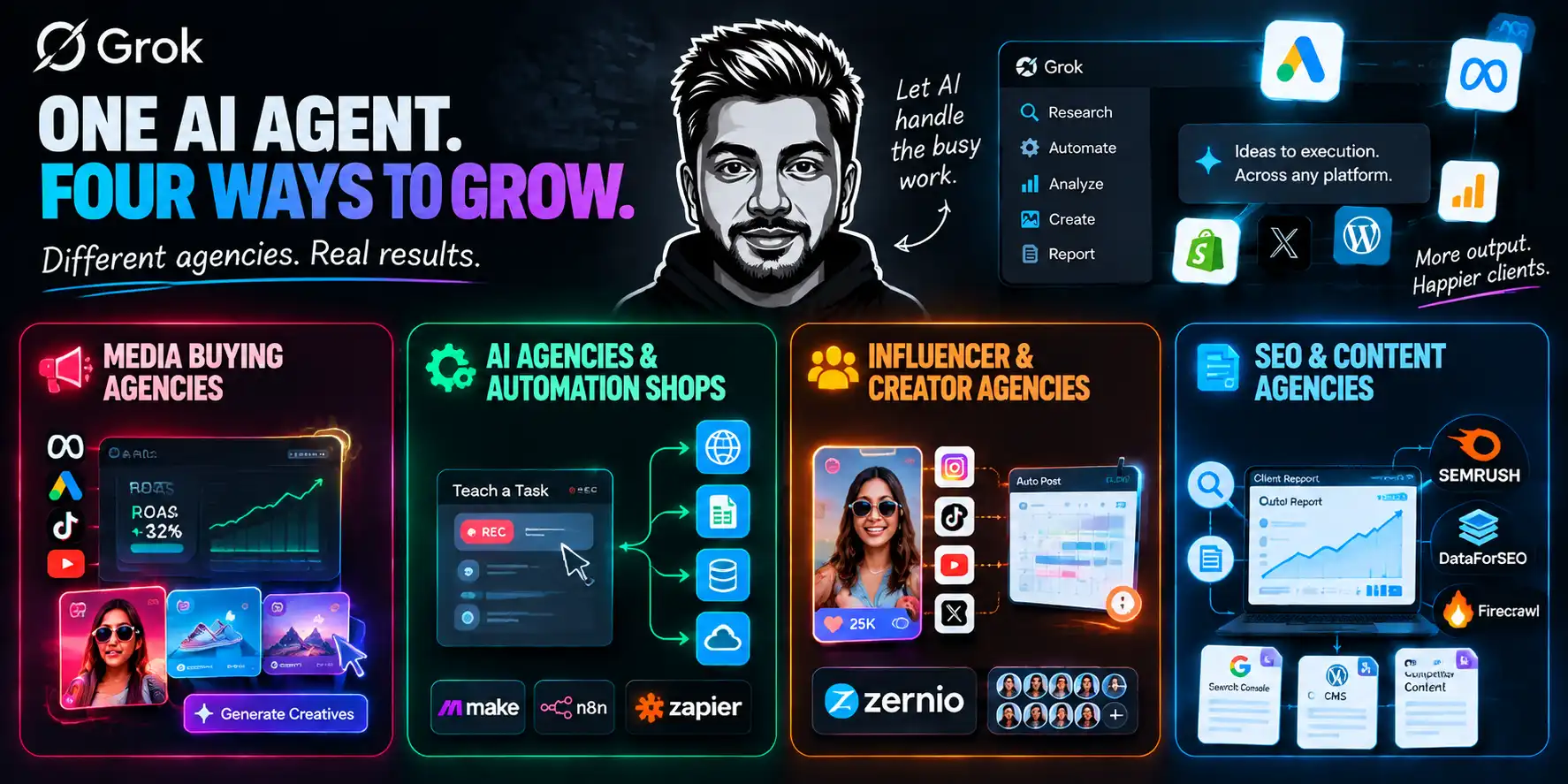
Different shops, different bottlenecks. Here’s where I’d point each.
1. Media buying agencies
The bottleneck is creative volume and account admin, not strategy.
What works: pulling spend and performance across networks that don’t share a dashboard, assembling daily pacing reports, monitoring competitor ad libraries, and generating creative variants through Grok Imagine.
What to be careful with: anything that spends money. Purchases pause for approval by design, and you should leave that alone. A bot with budget authority and a beta label is a bad combination.
The genuinely useful one is auditing accounts across platforms with no API.
Half the small ad networks in our industry have a login and a CSV export button. That’s a browser job, and a bot does it at 6am.
2. AI agencies and automation shops
The bottleneck is that every client wants a different integration.
The browser fallback means you can deliver an automation for a platform with no API. That’s a very different sales conversation from “we’ll need them to move to a supported tool.”
Also: Teach a task records ten minutes of a client’s actual workflow and drafts a skill from it. That’s discovery and build in one session.
I’ve watched a scoping call turn into a working prototype before the call ended.
The caveat is that a demo prototype and a production system are different things. There’s no dry run mode — test runs do real work on real systems.
3. Influencer and creator agencies
The bottleneck is volume of small, fiddly, repetitive tasks.
Cross-posting across 40 creator accounts. Pulling engagement data from platforms with weak APIs.
Drafting outreach, monitoring mentions, checking whether a post actually went live.
Pair it with Zernio for publishing and the per-account economics work — $3/account at 11–100 accounts, $1 above that.
Watch the platform terms. Automating posting through official APIs is fine. Automating engagement behaviour usually isn’t, and the platforms have got much better at spotting it.
4. SEO and content agencies
The bottleneck is research volume and reporting.
MCP servers cover most of it — DataForSEO for volume data, Semrush for competitive, Firecrawl for pulling competitor content as clean markdown a model can reason over.
Where the browser matters: Search Console for clients who won’t grant API access, small CMS platforms, and the long tail of tools that never shipped an integration.
The editorial call stays human. Always. A model will happily fill a content calendar with fifteen competent pieces nobody needed.
What It Costs
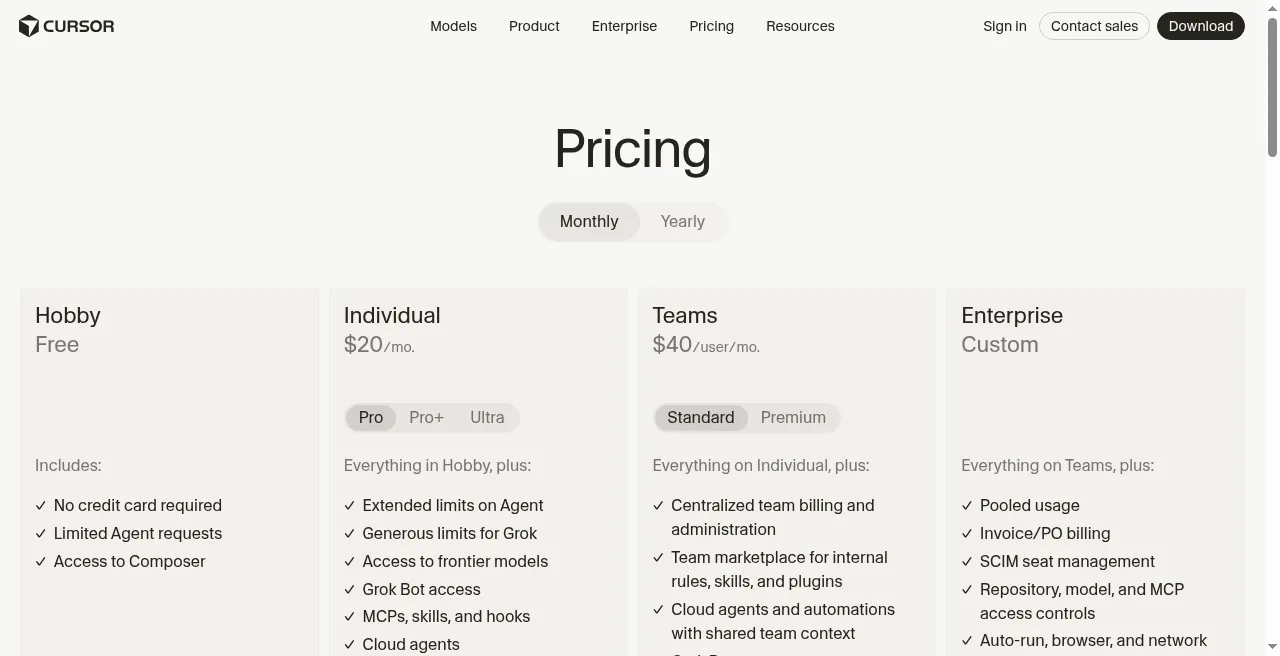
Here’s the part most coverage gets wrong, and it’s worth being precise.
The most-watched critical review of Grok Bot priced it at $200/month and concluded it wasn’t worth it. That was accurate on 18 August. On 21 August, access expanded.
| Plan | Price | Grok Bot |
|---|---|---|
| Cursor Hobby | Free | No |
| Cursor Pro | $20/mo | Yes — cheapest route |
| Cursor Pro+ | ~$60/mo | Yes, 3× Pro limits |
| Cursor Ultra | $200/mo | Yes, 20× Pro limits |
| Cursor Teams Standard | $40/user/mo | Yes |
| Cursor Teams Premium | $120/user/mo | Yes, plus SSO |
| SuperGrok | $30/mo | Yes |
| SuperGrok Plus | $100/mo | Yes |
| SuperGrok Heavy | ~$300/mo | Yes |
A wrinkle worth knowing before you pay. xAI’s own pages disagree with each other.
The launch announcement lists “SuperGrok (all tiers), Cursor Pro (all tiers).” The Grok Bot FAQ still lists only SuperGrok Plus, Heavy, Cursor Pro+, Ultra and Teams.
Cursor’s pricing page sides with the announcement. I subscribed through Cursor Pro and it worked. Check the page on the day you buy, because the documentation is lagging the rollout.
The number nobody publishes
Every plan includes a weekly usage allowance. Neither xAI nor Cursor publishes what that allowance is in units.
That’s not a small omission for an agency. Launch-week reports were rough.
Another measured roughly 100 chat completions plus one ten-minute script consuming 5% of a week.
I burned a meaningful chunk of my weekly allowance in the first few days running four workflows — I’ll publish the exact % once I trust the meter.
Budget for the ceiling, not the sticker. Then buy the cheapest tier that clears it, because the tiers add allowance, not capability.
Model costs, if you build on the API instead
Grok 4.6 shipped 12 August with a 500k context window and four reasoning levels.
API pricing is $2 per million input tokens and $6 per million output under 200k context, doubling to $4 and $12 above it.
Cached tokens cost 75% less.
Grok Imagine Inside the Loop
This is the part Claude cannot do, and for a creative agency it changes the shape of the workflow.
(If you’re already deep in Claude, I’ve documented how Claude usage limits actually behave.)
Grok Bot can call Grok Imagine — xAI’s image and video models — as part of a routine. So the social workflow doesn’t just write the post. It makes the image too.
| Model | Input | Output |
|---|---|---|
| grok-imagine-image (budget) | $0.002/image | $0.02/image |
| grok-imagine-image-quality | $0.01/image | $0.05–$0.07/image |
| grok-imagine-image-2.0 | $0.01/image | $0.04–$0.08/image |
| grok-imagine-video-1.5 | $0.01/image | $0.08–$0.25 per second |
A 28 August update pushed reference image support from three to five, and added 21:9 and 5:2 aspect ratios.
Five reference images is the detail that matters for brand work. Three wasn’t enough to hold a character across a full set in my testing. Five was.
At four to eight cents an image, generating a variant per platform costs less than the electricity to think about it.
The Trading Automation I Refuse to Recommend
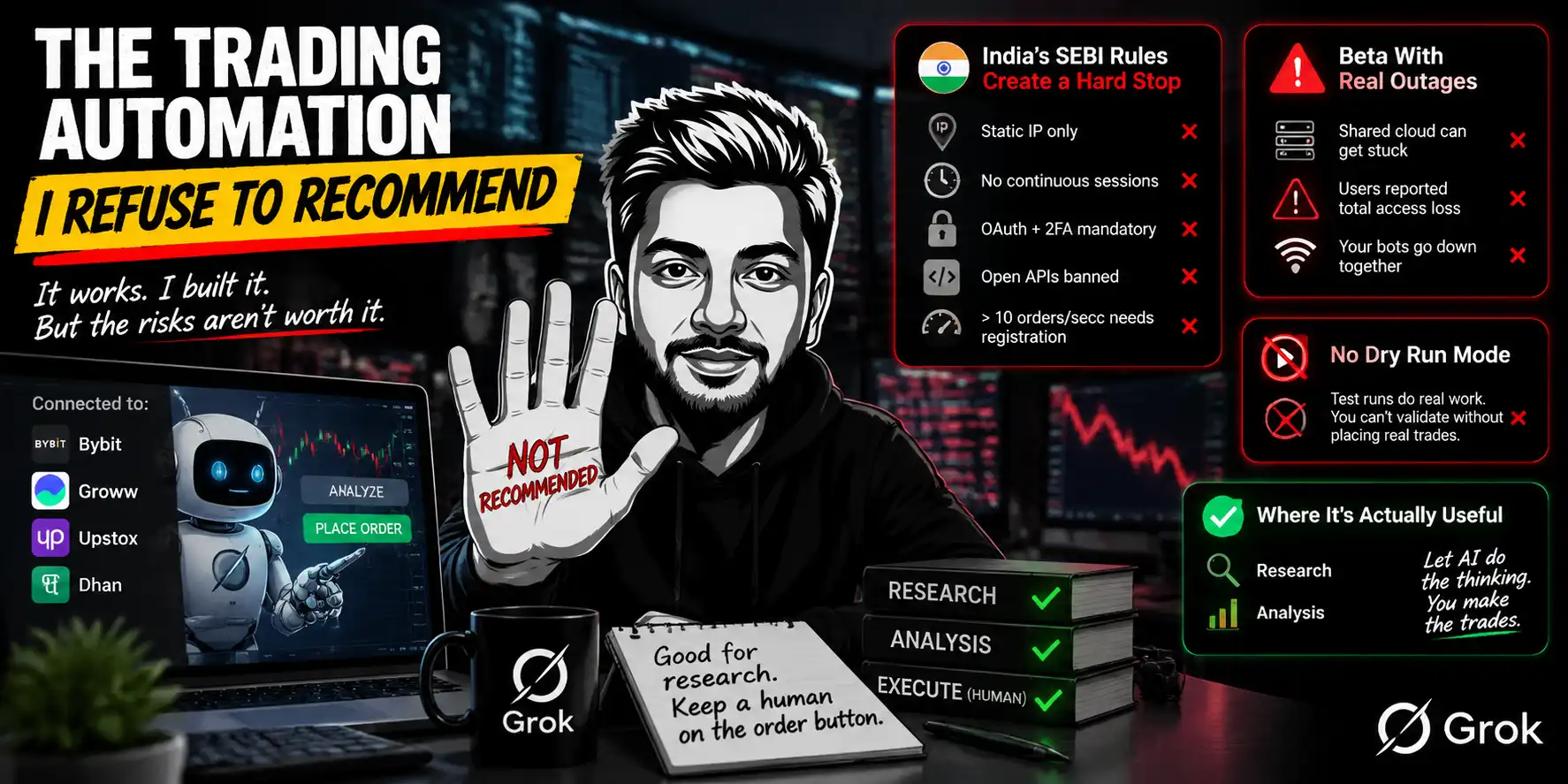
I built this one. It worked. I switched it off, and I’m keeping the section in because the reasoning is more useful than the workflow.
What I tested: connecting a Bybit account for crypto, and looking at the Indian broker APIs — Groww, Upstox, Dhan — for equities. The bot scanned signals, assembled analysis, and could place orders through an API.
It genuinely does this. That isn’t the problem.
Problem one: the regulation, if you’re in India
SEBI’s algo trading framework for retail investors takes full effect on 1 April 2026.
Four of its operational requirements collide directly with how Grok Bot works.
There’s also a 10 orders-per-second threshold per exchange above which formal strategy registration becomes mandatory.
And brokers now carry principal responsibility for algo orders placed through their platforms, which means your broker inherits your mess.
I’m not a lawyer and this isn’t legal advice. But “the regulator requires a static IP and my agent runs on a rotating cloud machine” is not a grey area I want to explore with my own money.
Problem two: it’s a beta with documented outages
Between 20 and 23 August, users reported the shared cloud computer entering a stuck state. That disabled every bot on the account at once.
A Cursor staff member confirmed it. One user reported total access loss across three days.
Now imagine that happening while a position is open.
There’s also no per-action audit trail yet. The documentation says an audit view “is coming.” For anything financial, that’s disqualifying on its own.
Problem three: there’s no dry run
Test runs do real work. They navigate real sites, change real files, call real tools. There is no rehearsal mode.
You cannot safely validate a trading routine before it touches a live account, because validating it is touching a live account.
Trading automation worked. I still switched it off. Regulation, beta outages, and no dry-run mode beat the novelty — use the agent for research, keep a human on the order button.
What Breaks
Thirty days is enough to find the edges. These are specific.
Genspark, If You Want the Softer Version
Genspark is the closest alternative and it suits a different temperament.
Plus is $24.99/month (about $19.99 billed annually, from 10,000 credits). Pro is $249.99 (about $199.99 annually, from 125,000 credits).
The free tier refreshes roughly 100 credits daily.
Two billing facts before you buy: credits expire monthly and don’t roll over, and they’re deducted even on failed tasks.

🚀 Save $600 on Genspark Pro Annual Plan
Get access to the full Genspark AI ecosystem with the Pro annual plan and save $600. Unlock premium AI models, unlimited usage, professional workspace features, and commercial rights for AI-generated content.
Annual Subscription Discount
20% OFF
Also worth knowing, they call saved workflows reusable skills now. Genspark publicly moved away from node-based workflow graphs, so any article describing a visual builder is out of date.
Research and documents. Client-facing research summaries, competitive teardowns, quarterly review decks. It builds those natively and well.


How I’d choose between them:
| Need | Pick |
|---|---|
| Work on a platform with no API | Grok Bot |
| A document or deck as the output | Genspark |
| Always-on scheduled routines | Grok Bot |
| Multiple model options | Genspark |
| Image and video inside the workflow | Either |
| Lowest entry price | Grok Bot ($20) |
They aren’t really competing. One drives a browser, the other produces documents. I pay for both.
Who Should Not Buy This
I turn readers away in every review. This one has a proper list.
FAQs Related to Grok Bot for Agencies
What’s the cheapest way to run Grok Bot for an agency?
Cursor Pro at $20/month. The tiers above add usage allowance, not capability, so start at the bottom and upgrade when you actually hit the ceiling. Check Cursor’s pricing page on the day you buy — xAI’s FAQ still lags the 21 August access expansion.
Can Grok Bot really work on platforms with no API?
Yes, and it’s the main reason to buy it. It drives a browser on a cloud machine and stays logged in. That includes places API connectors can’t reach — the spam folder being my favourite example.
Is it safe to give Grok Bot client logins?
With one very large caveat. It never handles passwords or one-time codes in chat — you take control for those. But every bot on your account shares one computer and every session on it, so run one account per business entity and keep read-only access wherever you can.
Does Grok Bot publish or send without approval?
By default, publishing, sending, purchasing and deleting sit on xAI’s approval-required list. You can add an Always Allow rule. I haven’t for client-facing actions — the bot does ~95% of the work and I press the button.
How does Grok Bot compare to Zapier, Make or n8n?
Those tools die when the platform has no API or the API costs more than the work. Grok Bot’s browser automation is the fallback those stacks don’t have. For clean APIs and MCP servers, n8n and friends are still fine — and often cheaper on quota.
Should I use Grok Bot or Genspark?
Different jobs. Pick Grok Bot for always-on routines and platforms with no API. Pick Genspark when the output is a document or deck. I pay for both.
Can I use Grok Bot for trading or algo orders?
Technically it can place orders through broker APIs. I tested it and switched it off. In India, SEBI’s retail algo rules (static IP, no continuous sessions, OAuth, open APIs banned) collide with a shared cloud agent. There’s also no dry-run mode and no per-action audit trail yet. Use it for research; keep a human on the order button.
What weekly usage allowance do I get on Cursor Pro?
Neither xAI nor Cursor publishes the allowance in units. Launch-week operators reported burning large chunks in a day with multiple agents. Budget for the ceiling, not the sticker price, and upgrade only when you actually hit it.
Does every bot get its own isolated computer?
No. xAI is explicit: the computer is isolated to your account, not to an individual Bot, and you must not use separate Bots as a security boundary. For multi-client agencies, budget for separate accounts per business entity.

Aliakbar Fakhri
The founder of AFFINCO
The Move
Start on the $20 tier. Build one routine, not five.
Pick the job where somebody on your team is sitting in a browser clicking the same six things. That’s the one that pays for the subscription in a week.
Evidence beats hype. Every time.
I’ve run affiliate and SEO properties for twelve years. It started with a banned AdSense account and a dorm-room blog in India. Today that’s AFFiNCO — 385 websites, 46 people across six countries, and more than 60 enterprise clients.
We used to be a much bigger team. Automation took the repetitive work, so we kept the senior people who make the hard calls. These days our automations do roughly the work of fifteen people.
Helium 10 partner three years running, official TikTok for Business partner, media partner at Affiliate World, SiGMA, GITEX AI and AI Expo Europe. I wrote The Affiliate Hustle.
I don’t sell courses and I don’t teach on YouTube. I just do the work and write down what happened.
Affiliate Disclosure: This post may contain some affiliate links, which means we may receive a commission if you purchase something that we recommend at no additional cost for you (none whatsoever!)
Similar Posts


About the author:
Aliakbar Fakhri
Founder & CEO of AFFiNCO
I’m Ali, Founder of AFFiNCO, with 15+ years in SEO, paid ads and affiliate marketing.
I run 65+ sites of my own, so every strategy on this blog was tested on my money before it reached you. No guru fluff. Just what actually works.